
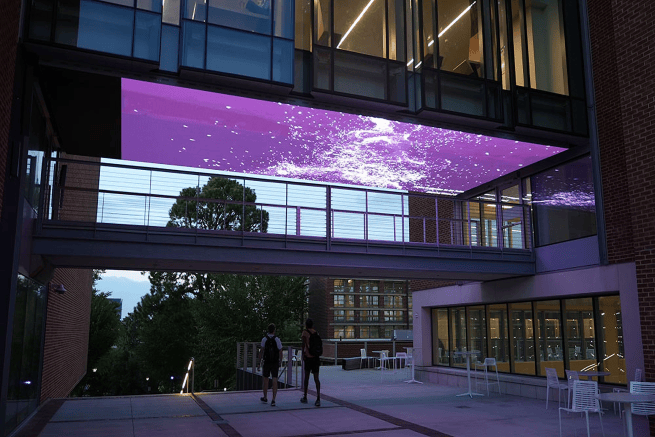
A guide on how to get the most out of your tuition with the resources at the GT Library!
Written by Veer Guda & Angela Xu
Quick Navigation:
- Introduction: Why You Should Use the GT Library Resource Hub
- Step 1: Print Documents Using GT Printers
- Step 2: Reserve Specialized Library Rooms
- Step 3: Check Out eBooks, Comics, and Video Games
- Step 4: Borrow Everyday Electronics and Accessories
- Step 5: Rent High-End DSLR Cameras and Production Gear
- Step 6: Access the GT Research Database
- Step 7: Connect to Dual Monitors for Studying
- Step 8: Sign Up for Library Events and Workshops
- Conclusion: Making the Most of Your Tuition at the Library
Introduction: Why You Should Use the GT Library Resource Hub
Students at Georgia Tech tend to be highly motivated and largely ambitious. To support this, the institute has funded many expensive pieces of equipment and specialized spaces for students to explore their passions and talents outside of normal lectures. The GT Library offers a variety of free resources for many students, but at a glance, many people do not know how to find the resources available to them or get overwhelmed by the reservation process. For example, a rarely known fact about the library is that DSLR cameras, Wacom drawing tablets, and VR headsets are available to rent out completely for free. They also have spaces like a video recording studio or a meditation and wellness room for napping that many students miss out on simply due to the fact that it is not widely advertised. Especially for first-year and transfer students who are still getting used to campus, missing out on these tools means spending unnecessary money or struggling to find quiet places to work and recharge. It is important for the students to be aware of what they have at their disposal and how to obtain access to those resources without getting lost in complicated library menus. This guide will summarize the extensive list of resources that the GT library offers as well as walk through the exact step by step process and details for accessing each one.
Step 1: Print Documents Using GT Printers
Upload Files to MyPrintCenter
Log into MyPrintCenter with your GT credentials and upload your documents to the print queue.
Locate a Printer and Swipe Your BuzzCard
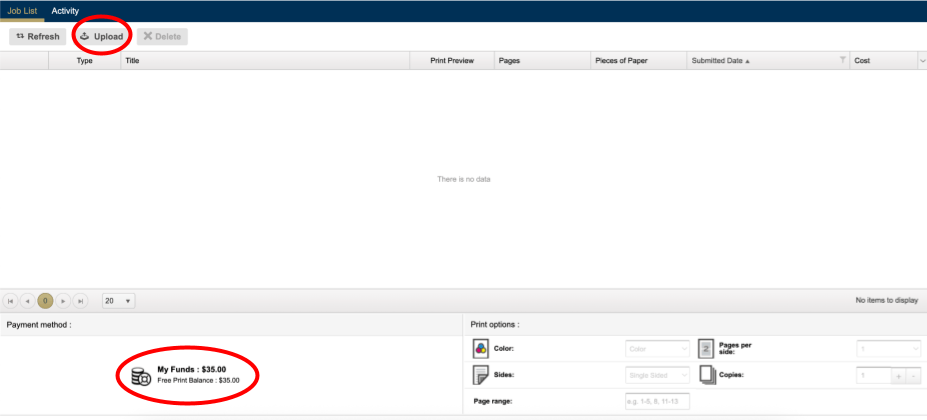
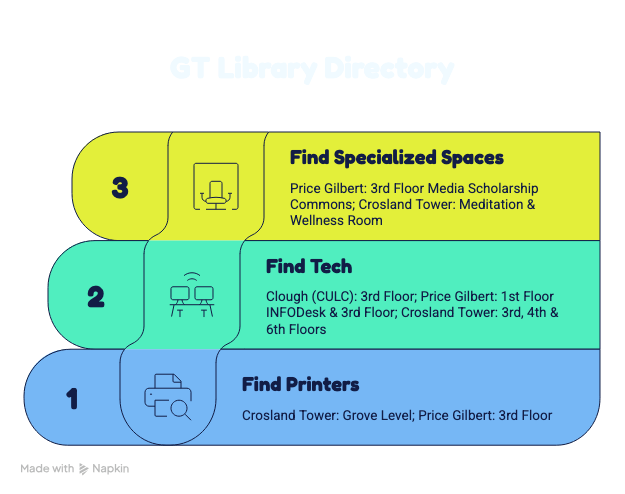
Head to the printers at Crosland Tower (Grove level) or Price Gilbert (3rd floor). Swipe your BuzzCard to release the print job using your $35 semesterly printing allowance (Black & White costs $0.04/copy and Color costs $0.19/copy).
Step 2: Reserve Specialized Library Rooms
Book the Wellness Room to Recharge
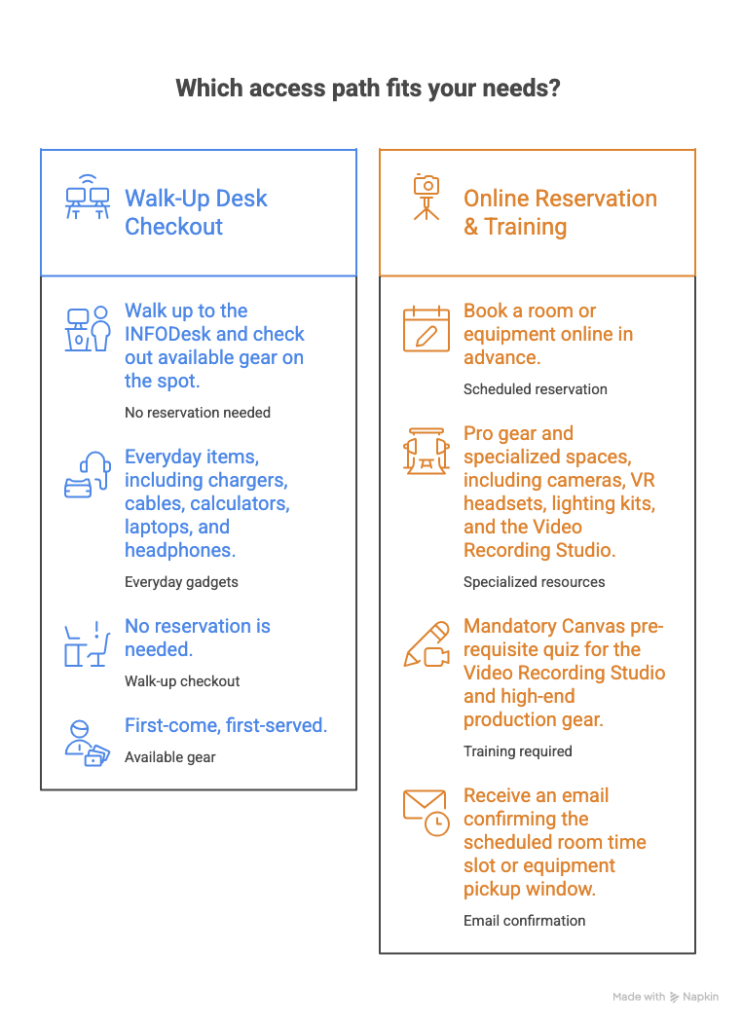
Use the online reservation system to book the meditation and wellness room when you need a quiet space for napping or de-stressing between classes.
Complete Training to Reserve the Recording Studio
Complete the mandatory prerequisite quiz on Canvas first, then use the library booking portal to reserve the Video Recording Studio for media projects.
Step 3: Check Out eBooks, Comics, and Video Games
Search the GT Library Catalogue
Search the online GT Library catalogue for recreational reading, comics, and video games, and request physical copies for pickup at the front desk.
Step 4: Borrow Everyday Electronics and Accessories
Request Daily Tech Rentals at the Gadgets Desk
Visit the INFODesk or browse the GT Library Gadgets page to check out essential electronics for short-term use, including laptops, scientific and graphing calculators, webcams, portable DVD players, and USB DVD drives.
Grab Chargers, Cables, and Creative Tools
Ask the desk for MacBook chargers (MagSafe 2, 3, USB-C), Android/Lightning/USB-C cables and power adapters, wired or Bluetooth headphones, mini Bluetooth speakers, SD card readers, Wacom drawing tablets, cellphone tripods, and voice recorders.
Step 5: Rent High-End DSLR Cameras and Production Gear
Reserve Cameras and VR Equipment Online
Submit an online equipment reservation in advance to rent high-demand gear like DSLR cameras, mirrorless cameras, action cameras, camcorders, VR headsets, and iPads.
Add Lighting, Audio, and Projector Kits
Bundle your reservation with camera accessories, lighting and green screen kits, projectors and screens, and professional audio equipment for bigger projects.
Step 6: Access the GT Research Database
Find Free Scholarly Journals and Books
Log into the GT Library website with your GT account to bypass paywalls and download scholarly journals, research papers, and academic books from home.
Step 7: Connect to Dual Monitors for Studying
Find Open Monitor Stations Across Both Buildings
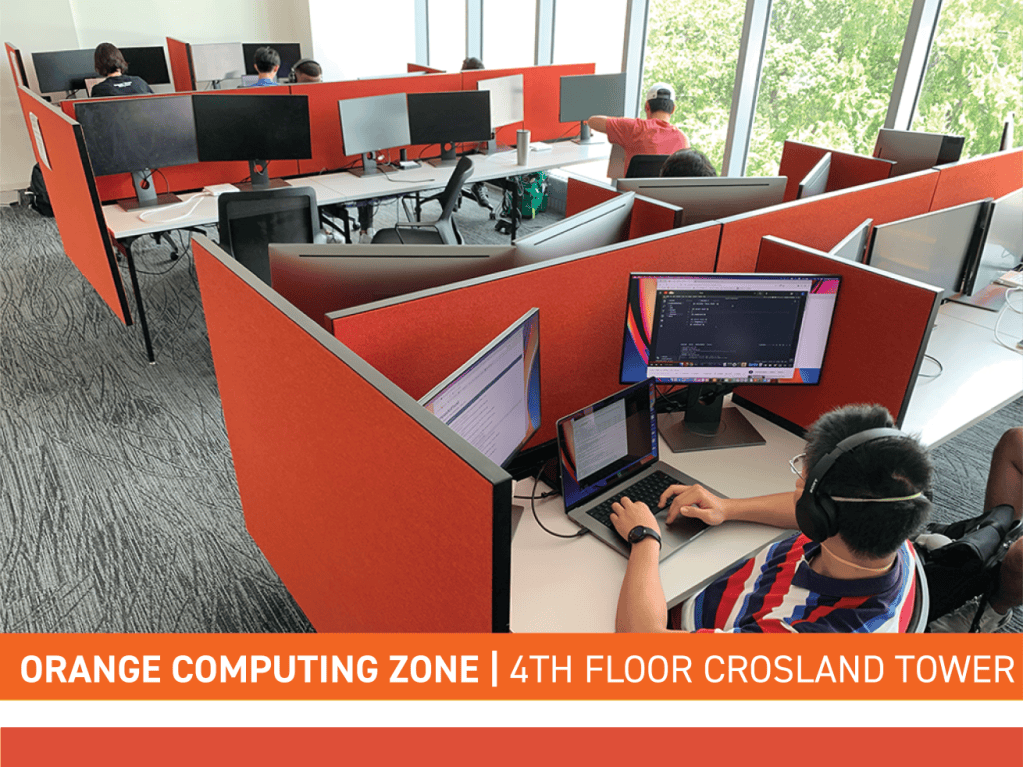
Bring your laptop and connect to the public external monitors located on Clough (CULC) 3rd floor, Crosland Tower (CROS) 3rd, 4th, and 6th floors, and Price Gilbert (PG) 3rd floor.
Step 8: Sign Up for Library Events and Workshops
Browse the Events Calendar
Check the GT Library Events and Workshops calendar to register for academic workshops like “Research Impact Tools & Metrics (Online)” or community events like the “Ramblin’ Reads: Chalk the Walk opening event”.

Conclusion: Making the Most of Your Tuition at the Library
Your student fees already fund all of the technology, specialized rooms, study monitors, and databases inside the Georgia Tech Library. Following these eight steps allows you to print coursework, rent professional production gear, recharge in wellness spaces, and upgrade your daily study routine without spending extra money out of pocket.
References & Helpful Links
- Georgia Institute of Technology Library. (2026). Georgia Tech Library Homepage & Online Catalogue.
- Georgia Institute of Technology Office of Information Technology. (2026). Georgia Tech MyPrintCenter Student Printing Portal.
- Georgia Institute of Technology Library. (2026). Computers, Printing, & Media Scholarship Commons Guide.
- Georgia Institute of Technology Library. (2026). Spaces & Technology: Gadgets and Equipment Lending Catalog.
- Georgia Institute of Technology Library. (2026). GT Library Events and Workshops Calendar.


Leave a Reply