
By Sahiti Nallamudi and Shinyoung Park

Interested in undergraduate research but unsure where to begin?
This guide shows Georgia Tech students how to use PairMe to search for research opportunities, compare projects, prepare materials, contact faculty, and choose a position that fits their interests, skills, and schedule.
Table of Contents
- Before You Start
- Step 1: Open PairMe
- Step 2: Search for Opportunities
- Step 3: Read the Project Details
- Step 4: Create a Shortlist
- Step 5: Prepare Your Resume or CV
- Step 6: Apply or Reach Out Professionally
- Step 7: Follow Up and Prepare for Meetings
- Step 8: Evaluate Your Options
- Additional Resources
- Final Checklist
Before You Start
Many Georgia Tech students want research experience, but the process can feel confusing at first. PairMe helps by putting undergraduate research opportunities in one place, so students can browse projects, compare requirements, and find positions that match their interests.
This guide focuses on the main actions needed to find and pursue a research opportunity through PairMe: choosing an interest, searching effectively, comparing projects, preparing materials, applying, and following up.
Before opening PairMe, choose a broad research interest. It does not need to be extremely specific. Start with a field, class, topic, or skill you want to explore.
Examples include:
- Biology
- Finance
- Sustainability
- Public policy
- Computer science
- Design
- Data analysis
- Robotics
- Health systems
- Education
If you are unsure, think about a class project or question that made you curious. Research often begins with curiosity, not expertise.

Step 1: Open PairMe
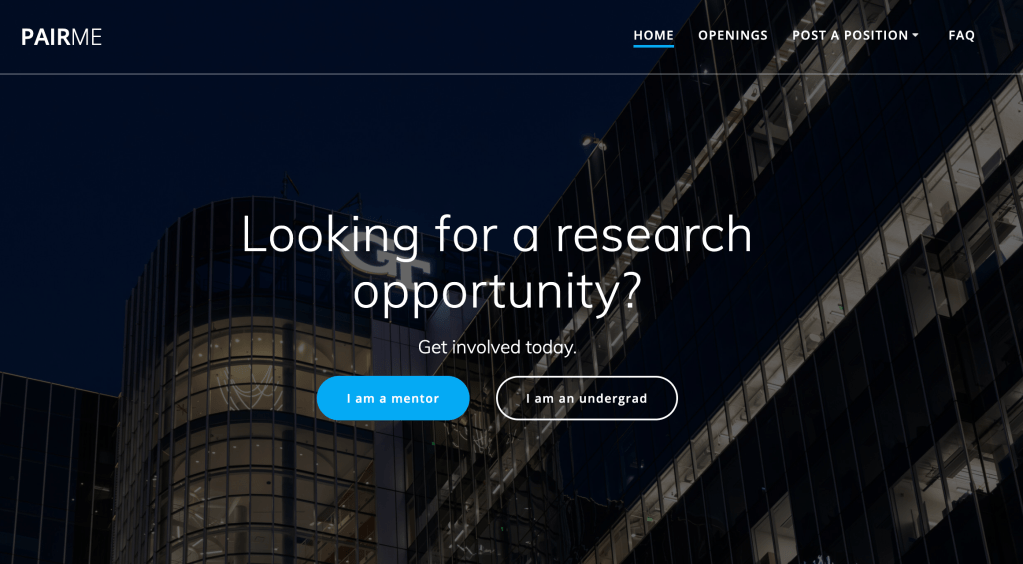
Go to PairMe, click “I’m an undergrad”, and log in with your Georgia Tech credentials.
Before clicking into individual projects, take a minute to understand the layout. Your goal is not to apply right away, but to see what types of opportunities are available and what information PairMe provides.
Look for:
- Project titles
- Faculty or lab names
- Departments
- Skills or prerequisites
- Time commitment
- Application instructions
- Contact information
PairMe is most useful when you treat it as a research search tool, not just a list of openings.
Step 2: Search for Opportunities
Use PairMe’s search and filter tools to narrow your results. Start broad, then get more specific.
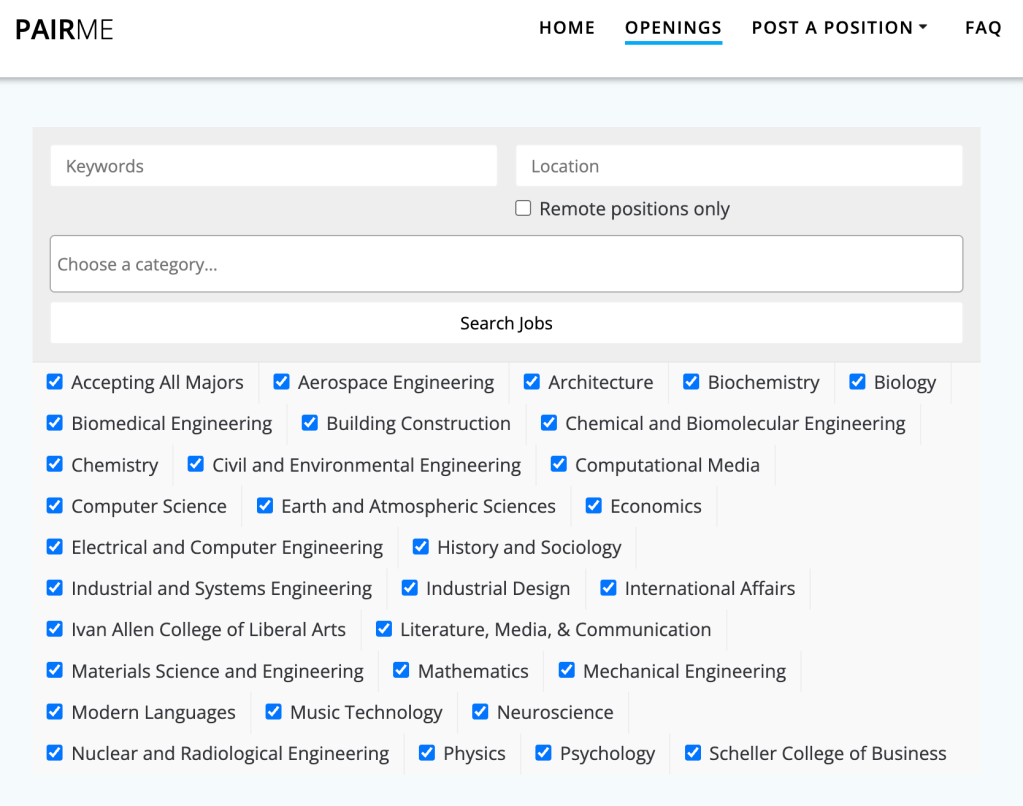
For example, if you are interested in data, try keywords like:
- Data
- Analytics
- Machine learning
- Visualization
- Public health data
- Business analytics
If you are interested in biology, try:
- Genetics
- Biomedical
- Neuroscience
- Bioinformatics
- Lab assistant
Search by both department and keyword when possible. Georgia Tech research is interdisciplinary, so useful projects may appear outside your major. For example, analytics projects may be listed under computing, public policy, industrial engineering, or health systems.
Step 3: Read the Project Details
Do not apply based only on the title. Open each project and read the full description.
As you read, ask yourself:
- What is the project trying to study or solve?
- What tasks would an undergraduate student complete?
- What skills does the project require?
- Does the project require prior research experience?
- Is the position paid, for credit, or volunteer?
- How many hours per week does it require?
- Does the project match your schedule?
- Does the professor or lab work with undergraduates?
This step matters because some projects may sound interesting but require skills, time, or experience that you do not currently have. Other projects may look less flashy but offer better mentorship and training.
A strong opportunity should match both your interests and your current capacity.
Step 4: Create a Shortlist
After browsing PairMe, create a shortlist of research opportunities that seem like realistic matches.
A good shortlist should include about 3–7 opportunities. This gives you options without making the process overwhelming.
For each opportunity, record:
- Project title
- Professor or lab name
- Research area
- Required skills
- Time commitment
- Application deadline
- Application type
- Why the project interests you
- Questions you still have
Avoid applying to every opportunity you see. A targeted application is usually stronger than a generic one.

ents organize research opportunities, monitor application progress, and remember follow-up dates.
Use the Research Outreach Tracker above after saving or contacting a project. Record the lab name, research area, application date, follow-up date, status, and notes so you can compare opportunities and avoid missing responses or deadlines.
Step 5: Prepare Your Resume or CV
Before applying, update your resume or CV so it reflects your current accomplishments.
You do not need previous research experience for many roles. Focus on relevant skills, coursework, and willingness to learn.
Include experiences such as:
- Relevant coursework
- Class projects
- Lab work
- Coding experience
- Data analysis experience
- Writing or communication skills
- Leadership experience
- Work experience
- Certifications
- Technical tools
- Volunteer experience
If applying to different research areas, adjust your resume for each role. For example, data projects should emphasize Excel, Python, statistics, or visualization, while policy projects should emphasize writing, research, communication, or analysis.
Use the Georgia Tech Career Center for resume guidance if you need help with formatting or professional language.
Step 6: Apply or Reach Out Professionally
Some PairMe opportunities allow direct applications, while others ask you to contact a professor, lab manager, or graduate student.
If you need to send an email, keep it short, specific, and professional. The professor should be able to quickly understand who you are, why you are interested, and what you are asking for.
A strong outreach email should include:
- A clear subject line
- A professional greeting
- Your name, year, and major
- A specific connection to the professor’s research
- One or two relevant skills or experiences
- A polite request to discuss possible opportunities
- Your availability
- A resume attachment
- A professional closing
Avoid generic emails. Mention a specific project or topic to show that you understand their work.
Use this template as a starting point:

Step 7: Follow Up and Prepare for Meetings
If you do not hear back after one to two weeks, send a polite follow-up email. Keep it brief by restating your interest, mentioning your original email, and asking if they are accepting undergraduate researchers.
If a professor or lab member responds, prepare before the meeting. Reread the project description and review the lab’s website if available.
Be ready to explain your interest, relevant skills/coursework, learning goals, weekly availability, and whether you are seeking pay, credit, or volunteer experience.
You should also prepare a few questions, such as:
- What would my weekly responsibilities look like?
- How much training is provided?
- How often would I meet with a mentor?
- What is the expected time commitment?
- Is this opportunity paid, for credit, or volunteer?
A meeting is not only about proving yourself. It is also your chance to decide whether the opportunity fits your goals and schedule.
Step 8: Evaluate Your Options
If you receive multiple responses or offers, choose based on fit.
Do not choose an opportunity only because it sounds prestigious or fun. Choose the option that best matches your goals, availability, skills, and learning needs.
Consider:
- Will you receive mentorship?
- Will you learn skills that matter to you?
- Can you manage the time commitment?
- Are the expectations clear?
- Does the project connect to your academic or career interests?
- Are you comfortable with the communication style of the professor or lab?
- Will your contribution be meaningful?
If an opportunity does not work out, that does not mean the process failed. You still practiced searching, writing professionally, and making academic connections. You can use those skills again in the next research cycle.
Additional Resources
Use these resources to strengthen your search:
- Georgia Tech Undergraduate Research Opportunities Program — A campus resource for learning more about undergraduate research pathways, funding, and programs.
- Georgia Tech Career Center — A resource for resume, CV, and career preparation support.
- Georgia Tech Office of Undergraduate Education — A resource for academic support and undergraduate learning opportunities.
Final Checklist
Before you submit an application or send an email, make sure you have completed these steps:
- I chose a broad research interest.
- I searched PairMe using departments and keywords.
- I read the full project descriptions.
- I checked requirements, time commitment, and application instructions.
- I made a shortlist of realistic opportunities.
- I updated my resume or CV.
- I tailored my materials to the opportunity.
- I wrote a specific, professional message if needed.
- I tracked my applications and follow-up dates.
- I prepared questions before any meeting or interview.
Finding research can feel intimidating at first, but it becomes more manageable when you break it into tasks. PairMe gives you a starting point. Your job is to search carefully, apply thoughtfully, and choose opportunities that support both your learning and your long-term goals.


Leave a Reply