

How to Create Personalized Practice Tests from Lecture Notes Using Gemini AI
By: Aryan Patel & Zain Syed
Table of Contents
1. Introduction
2. Instructions
- Step 1: Gather Your Course Material
- Step 2: Upload documents into Gemini
- Step 3: Use the Quiz Me Feature
- Step 4: Customize the Quiz Settings
- Step 5: Complete the Quiz
- Step 6: Review Incorrect Answers
- Step 7: Create a Study Plan Based on Weak Areas
- Step 8: Repeat the Process
3. Conclusion
4. Resources
Introduction
Many Georgia Tech students spend hours reviewing slides, texts, and other study materials but find it difficult to figure out if they really understand what they have learned. Many passive studying techniques, like highlighting and reviewing the same document again and again, might not always help students to be ready for the test format that they will face on their exam day. Many first-year Georgia Tech students encounter this challenge in large lecture-based courses where exams require active recall rather than simple memorization.
This topic will be highly valuable to students at Georgia Tech because most classes have lots of information in the form of presentations, textbooks, and technical concepts. How to responsibly use AI as an assistant in studying is an important skill that allows saving time and getting better prepared for classes. This manual does not replace learning but shows students how to use AI to strengthen their understanding of course material.
Instructions
Step 1: Gather Your Course Material
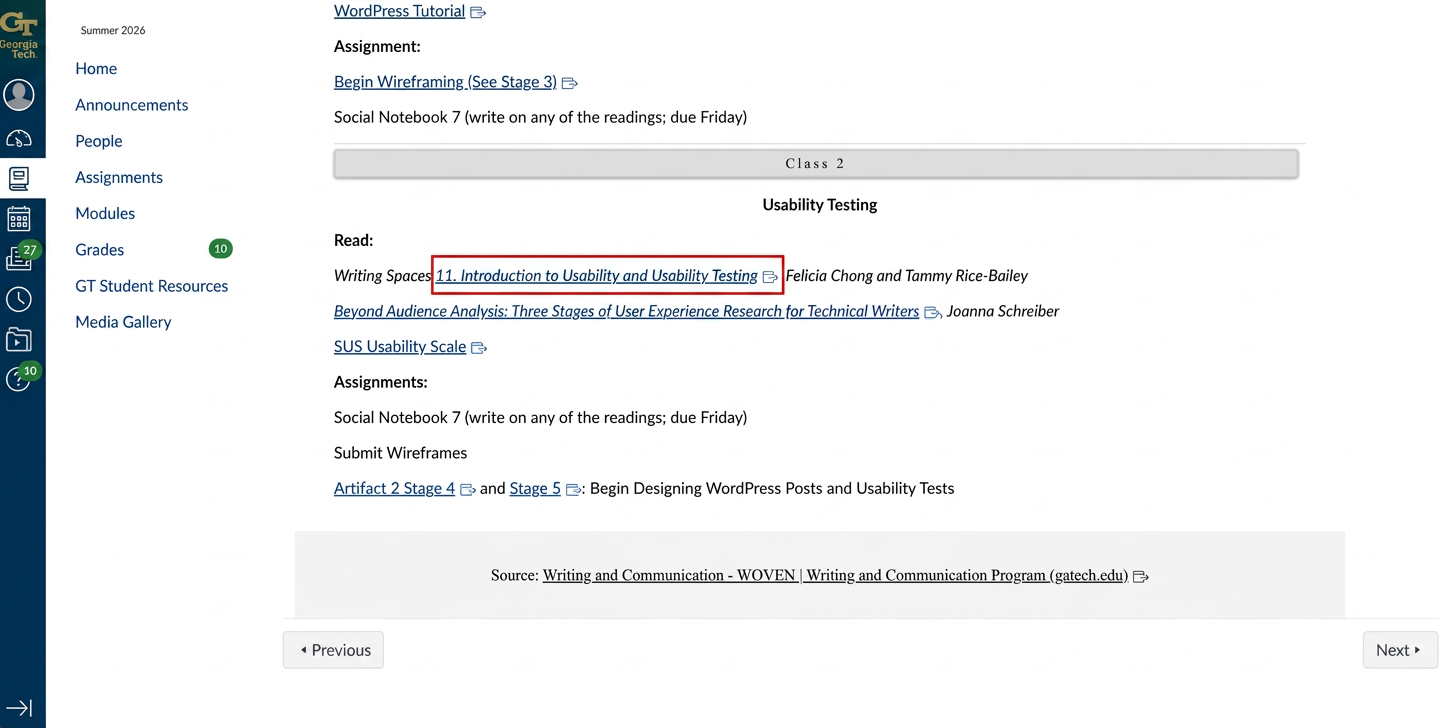
Before engaging with Gemini’s Quiz Me function, ensure that you have all the required material that you wish to learn; this may include slides of lectures, notes in textbooks, study guides, and even your personal notes in Canvas. Having all the material beforehand helps Gemini create more accurate questions based on your current subjects.
Step 2: Upload Documents into Gemini
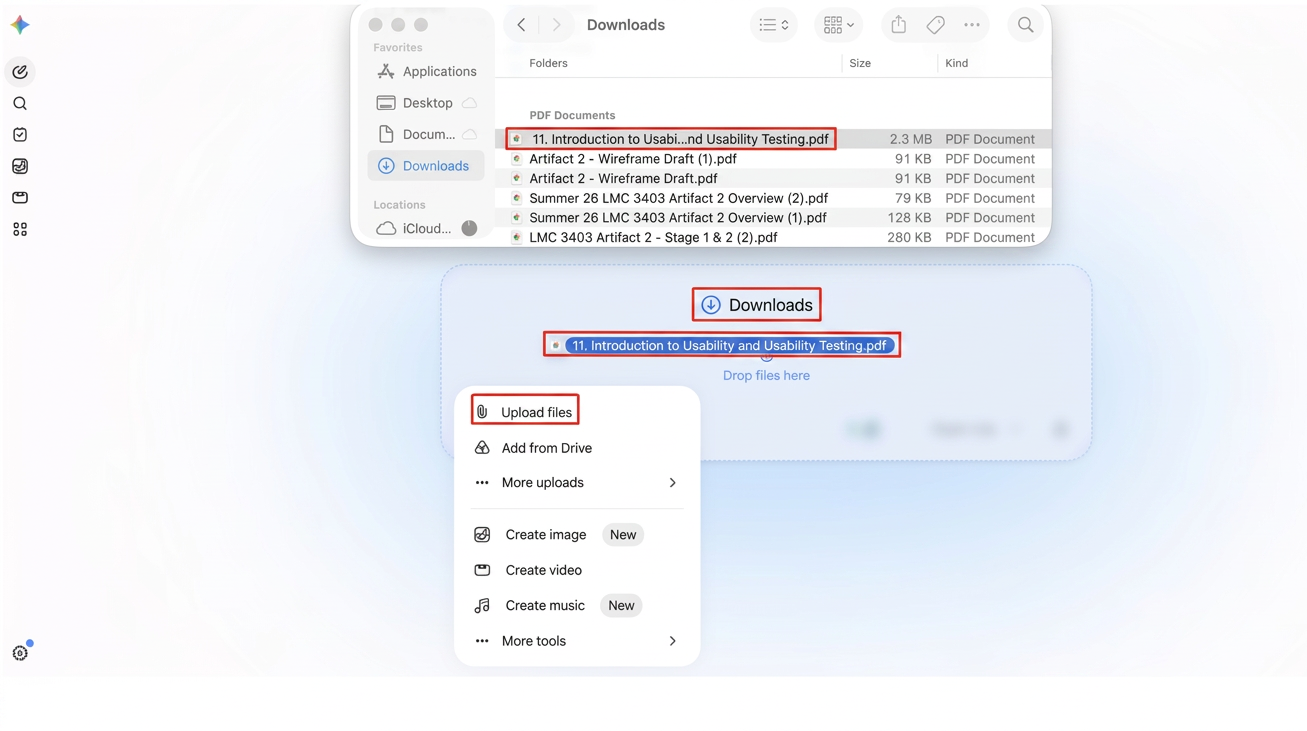
Once you open Gemini, look for the “+” button near the bottom-left of the screen.
Click it to open the upload options, then choose “Upload files” if your course material is saved on your computer or “Add from Drive” if it is stored in Google Drive. You can also drag and drop the file directly into Gemini from your computer.
After the document is uploaded, make sure it is the correct lecture slide, reading, study guide, or notes file before moving on to the next step.
Pro Tip: Upload only the materials related to the exam or unit you’re studying. Focusing on one topic at a time helps Gemini generate more accurate practice questions.
Step 3: Use the Quiz Me Feature
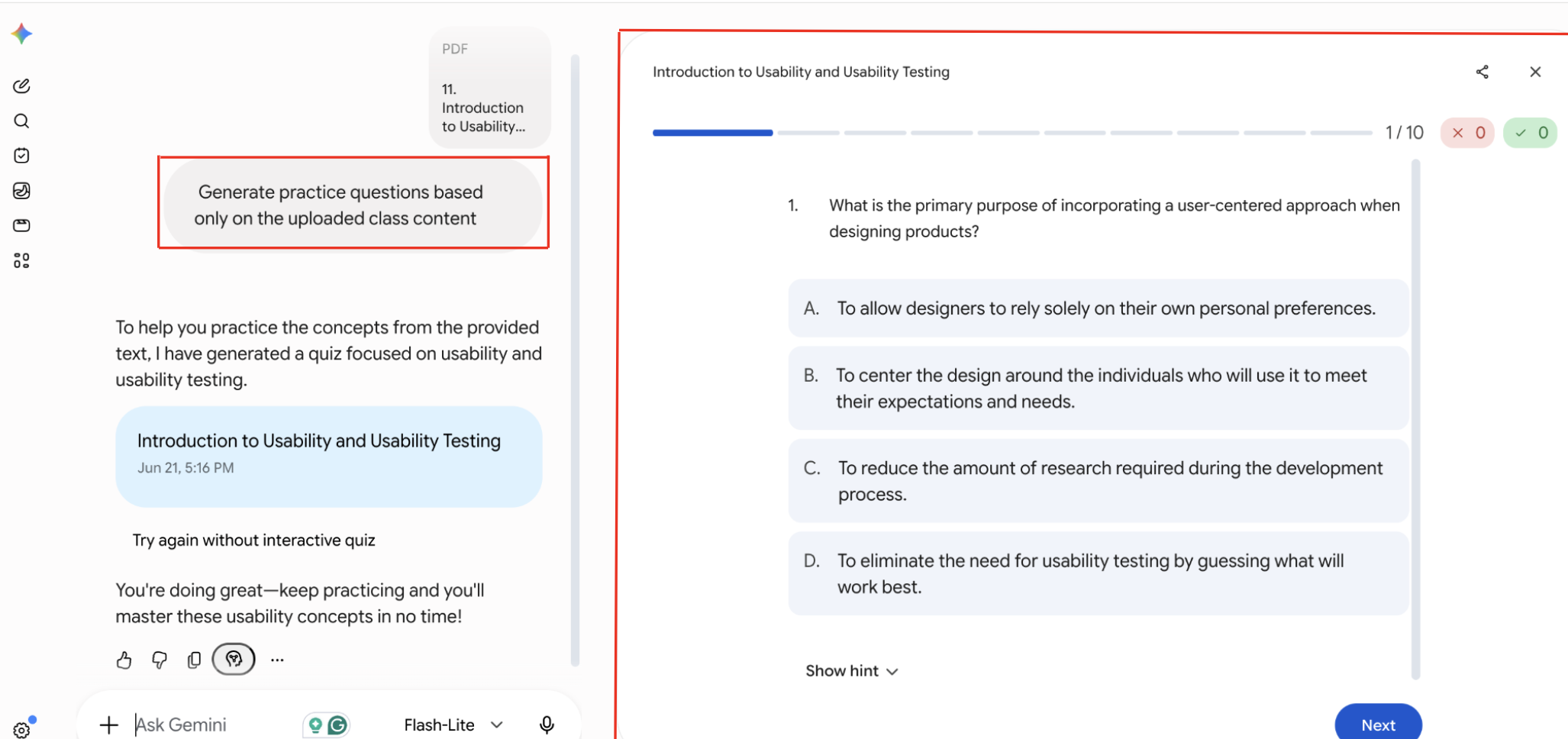
Once your materials have finished uploading, enter a prompt such as “Generate practice questions based only on the uploaded class content.”
Gemini will automatically launch the “Quiz Me” feature and generate practice questions using only the information from the uploaded files.
Read each question carefully, select the answer you believe is correct, and continue through the quiz until you reach the end.
Step 4: Customize the Quiz Settings
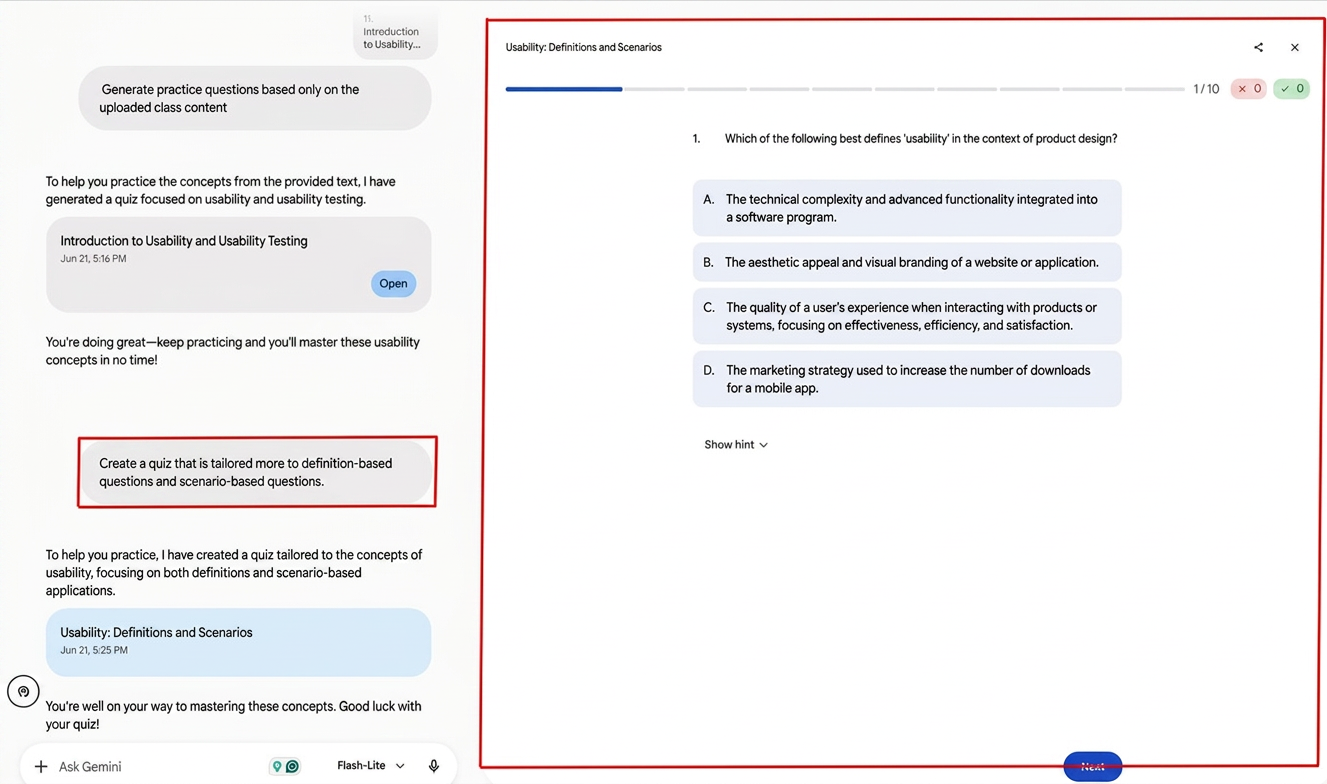
Gemini does not provide built-in settings to customize the Quiz Me feature while a quiz is in progress.
Instead, customize your quiz by prompting Gemini. For example, enter a prompt such as “Create a quiz with more definition-based and scenario-based questions.”
Gemini will automatically launch a new Quiz Me session based on your request.
Step 5: Complete the Quiz
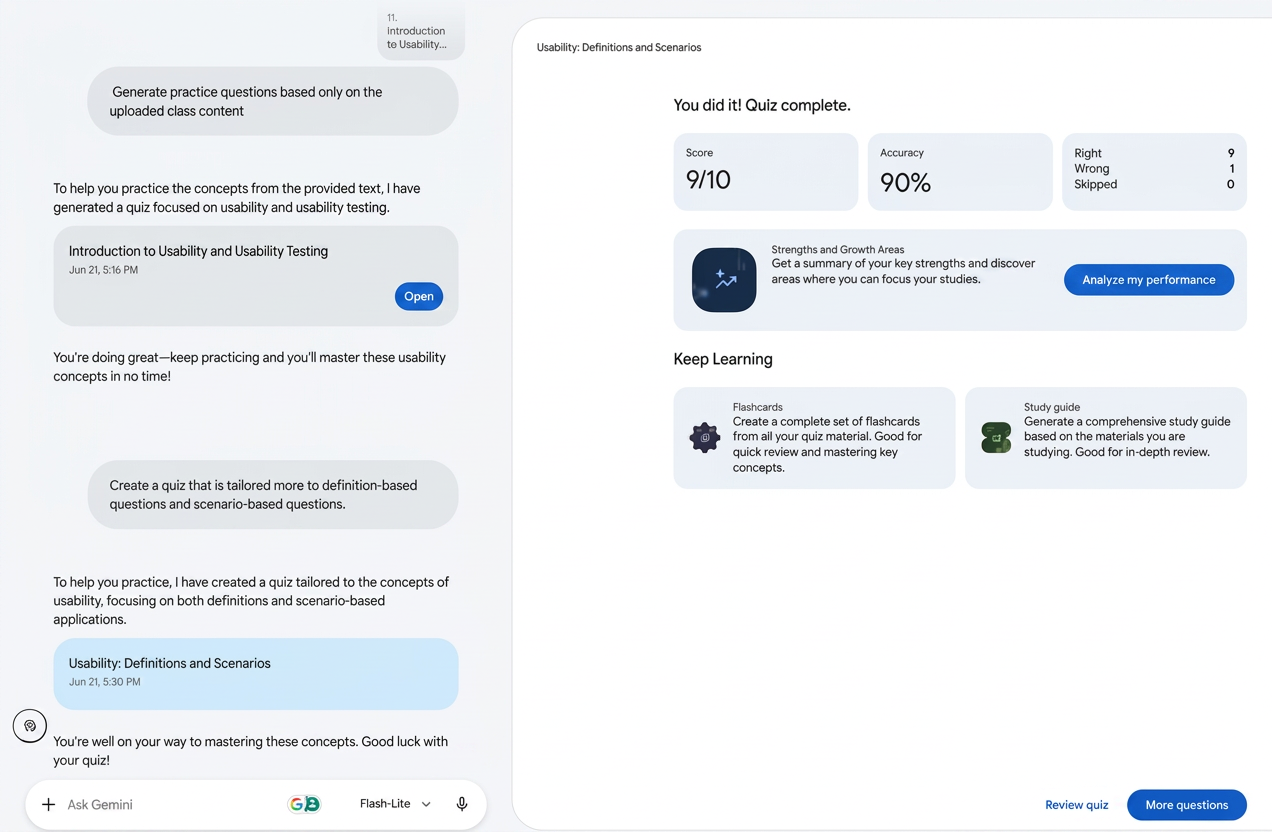
After generating your custom-made quiz. Finish answering all 10 questions until you get to the results page.
Once you have finished the quiz, Gemini will show your score and performance analysis that will be needed in the next step.
Pro Tip: Try completing the quiz without using your notes to get a more accurate measure of what you already know before reviewing your results.
Step 6: Review Incorrect Answers
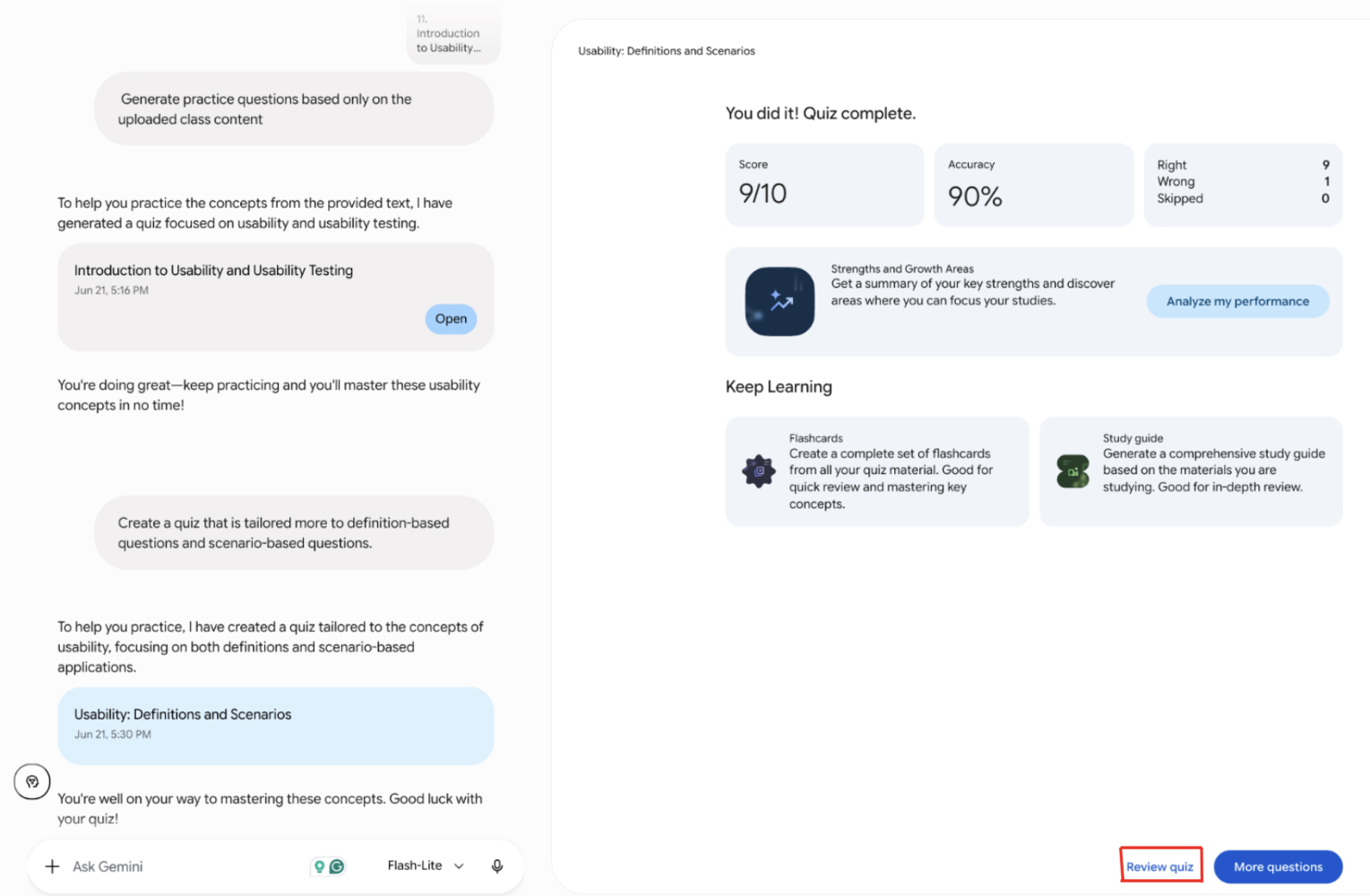
After completing your quiz, select the Review Quiz button to examine your performance and identify areas that need improvement.
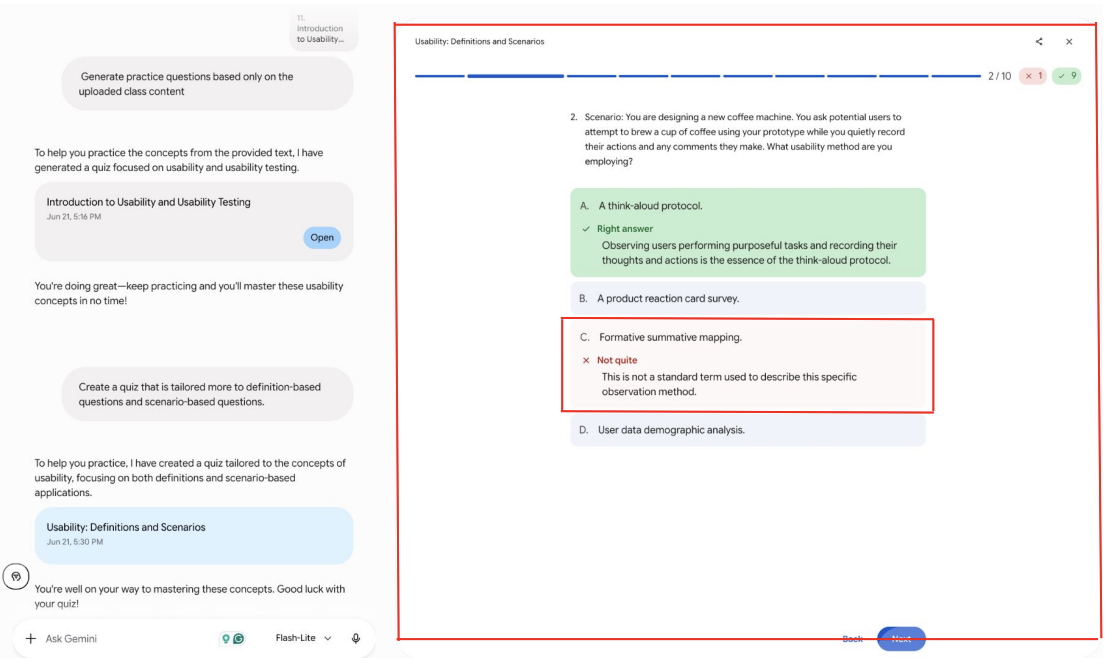
Gemini will display each question along with the correct answer, your selected answer, and an explanation of why the correct response is right.
Carefully review any questions you missed and read the provided explanations to strengthen your understanding of the material.
Step 7: Create a Study Plan Based on Weak Areas
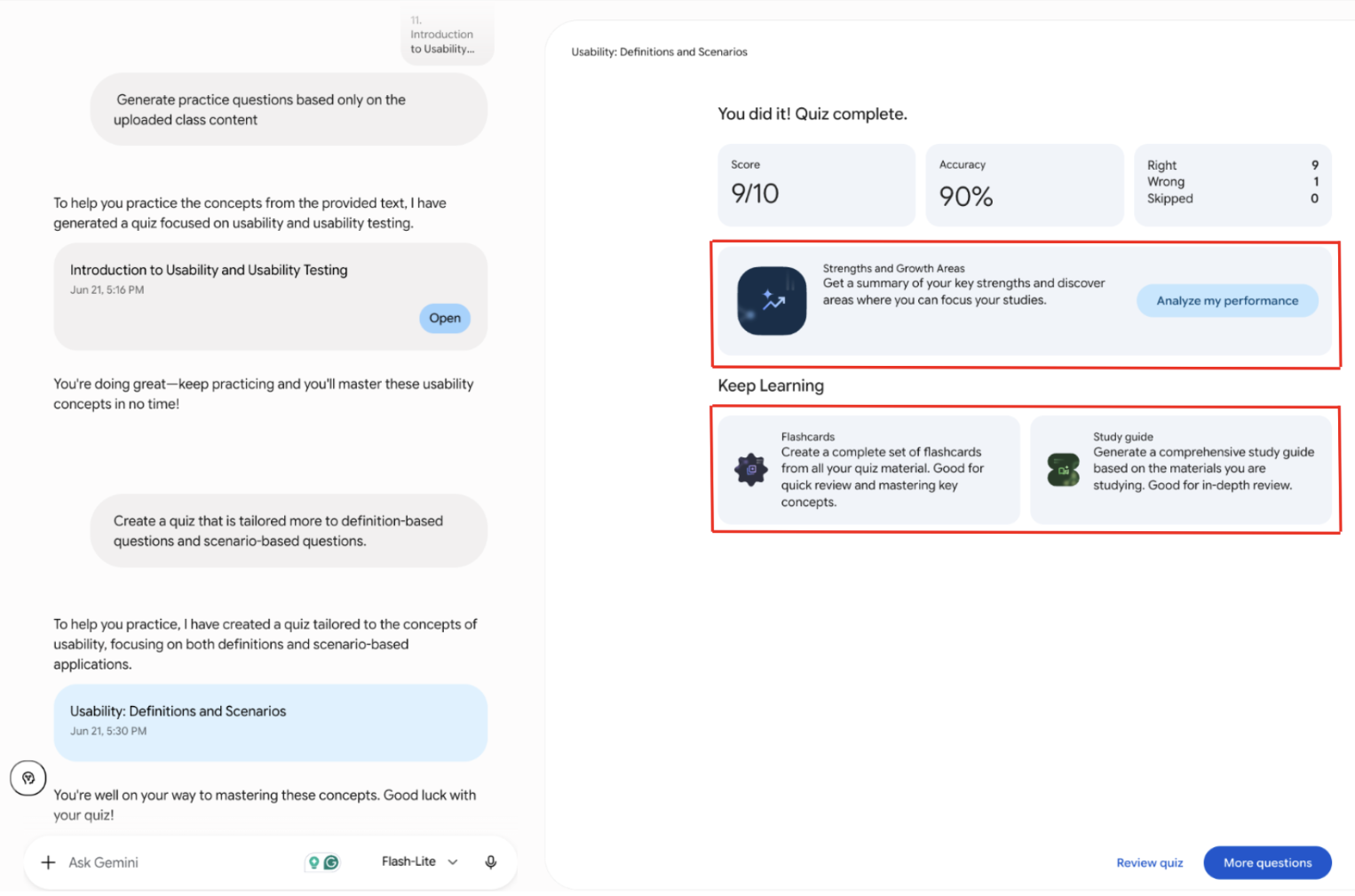
After completing the quiz, click Analyze My Performance to view Gemini’s summary of your strengths and growth areas.
Look for the topics or question types where you struggled the most, then use those results to decide what to review first.
Next, select Gemini’s Flashcards or Study Guide tools to create review material based on your quiz performance. Focus your study plan on the weaker areas before moving on to topics you already understand.
Step 8: Repeat the Process
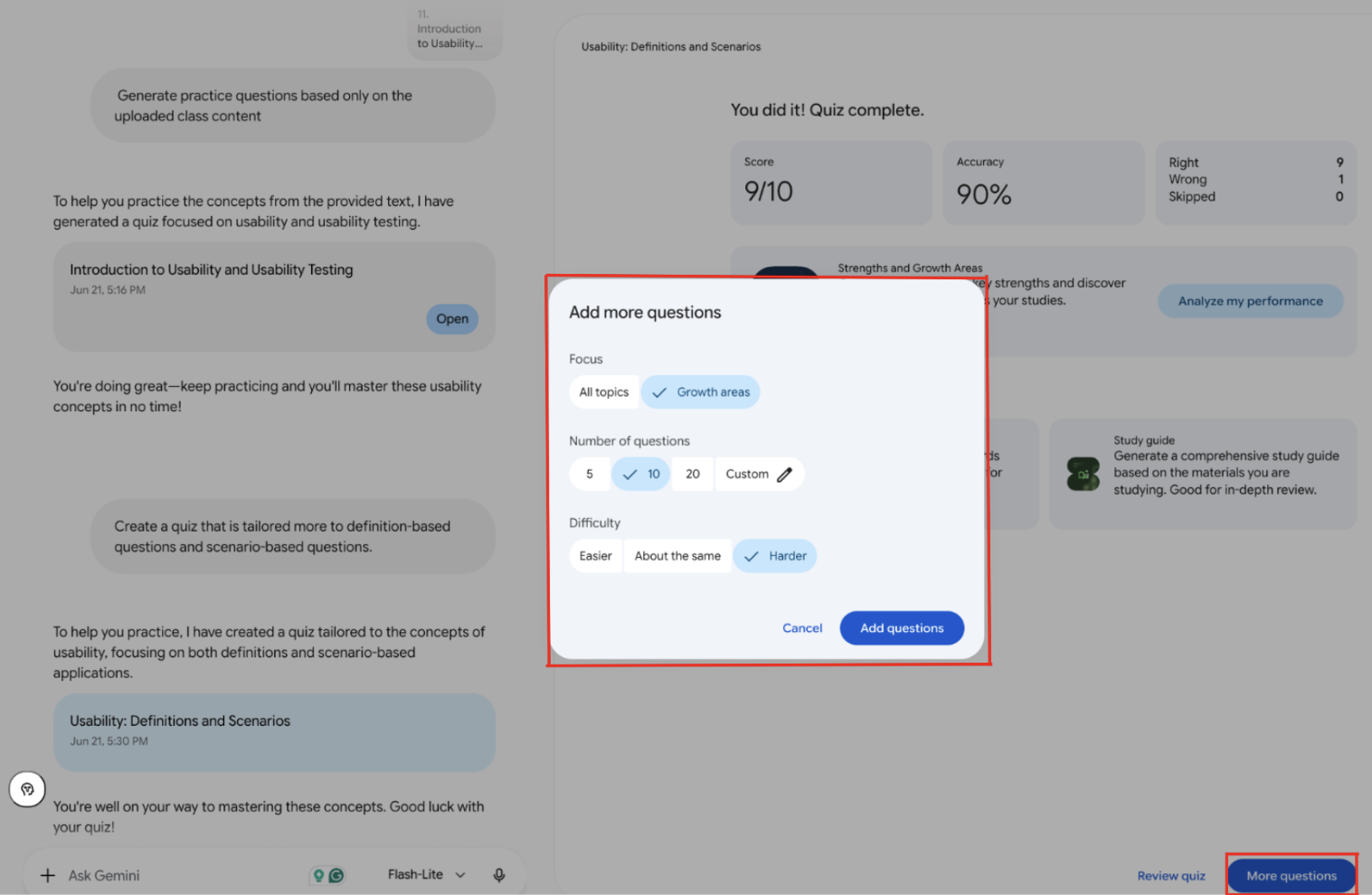
Once you have analyzed your quiz scores, go to the bottom right corner of the quiz score page and click on the “More Questions” button.
After that, decide if you want Gemini to create questions based on “All Topics” or your “Growth Areas.” Further, decide how many questions you would like to answer and at what difficulty level.
Click on “Add Questions” and repeat the entire process till you feel comfortable with the topic.
Conclusion
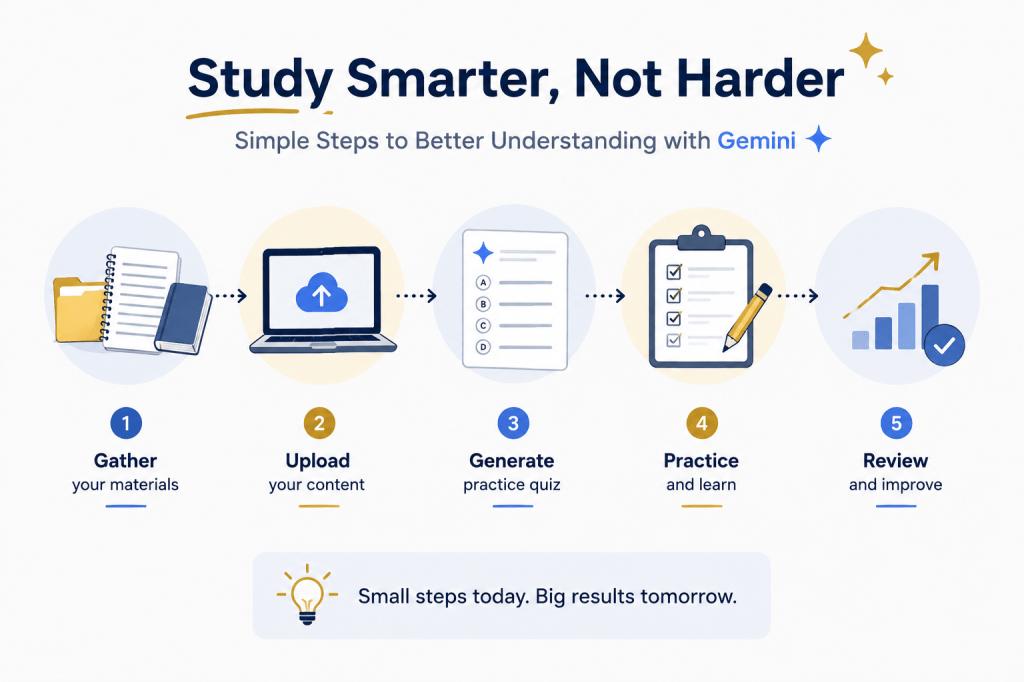
Gemini’s Quiz Me feature is an easy method of making your study sessions more interesting and productive. Through using this tool, you can upload your coursework, personalize your quizzes, evaluate your mistakes, and repeat the whole procedure, thereby concentrating on the most difficult areas rather than evenly reviewing all information. Using these tools consistently throughout the semester can help you prepare more efficiently, strengthen your understanding of course material, and approach exams with greater confidence.
Resources
In order to improve your studying habits further and maximize the use of Gemini’s Quiz Me feature, look at the following resources. These tools will allow you to strengthen your understanding of course material, develop effective study strategies, and prepare more efficiently for exams.
– Google Gemini Help Center: Learn more about Gemini’s features, file uploads, and AI-powered study tools. Click Here
– Georgia Tech Center for Teaching and Learning (CTL): Explore evidence-based study strategies, academic success resources, and learning support services. Click Here
– Georgia Tech Academic Success and Tutoring: Access tutoring services, academic coaching, and additional resources to support your coursework and exam preparation. Click Here


Leave a Reply