

Authors: Ashraf Mansour, David Gallagher
Introduction
Whether unclear instructions are to blame or you need further direction, you’ll be stumped by an assignment at some point. When you seek answers to move past a mental block, you may look to your course’s Question and Answer (Q&A) platform.
This guide aims to help you get better answers on these platforms by helping you ask better questions. It focuses on homework assignment questions, the most common kind of question on these forums, and includes guidance tailored toward CS courses.
As needed, this guide will give surface level navigation tips for the Q&A platforms used at Georgia Tech: Piazza and Ed Discussion (Ed for short).
For more comprehensive guidance, refer to each platform’s quick start guide:
Table of Contents
Step 1: Check Whether an Answer Exists
You can avoid asking a redundant question by finding whether it has already been asked.
To search of your course’s Q&A forum:
- Use the forum’s search bar
- try a narrow query similar to the question you intend to ask
- follow up with broader queries using keywords, like an assignment’s name
- Filter posts by user assigned categories
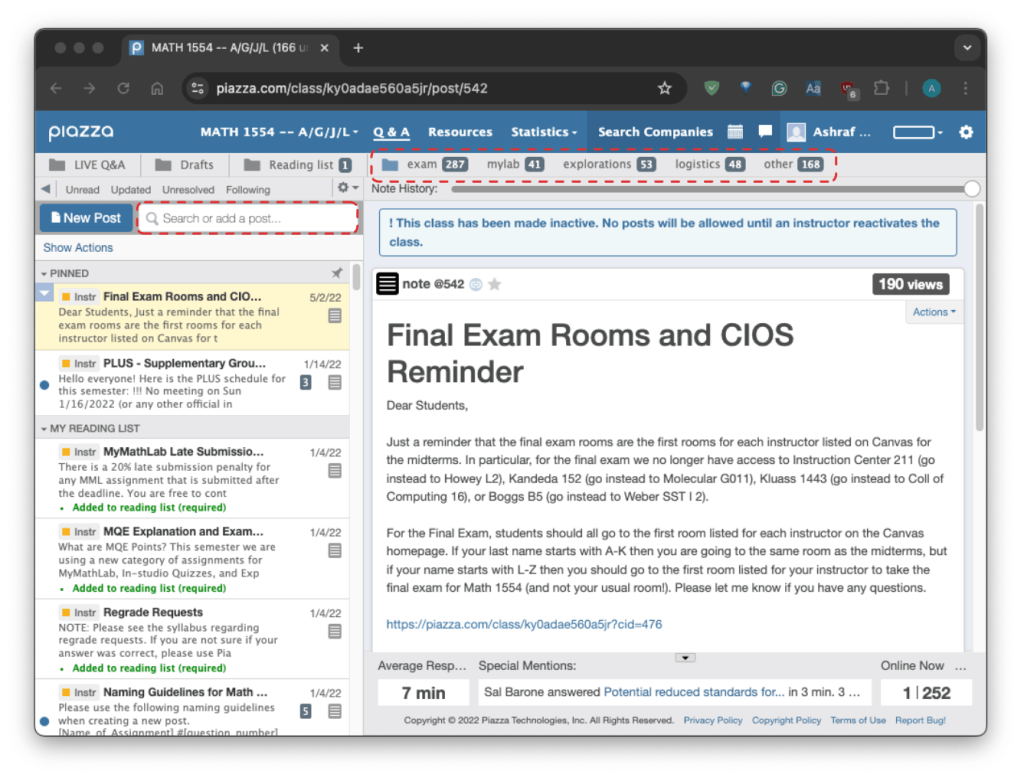
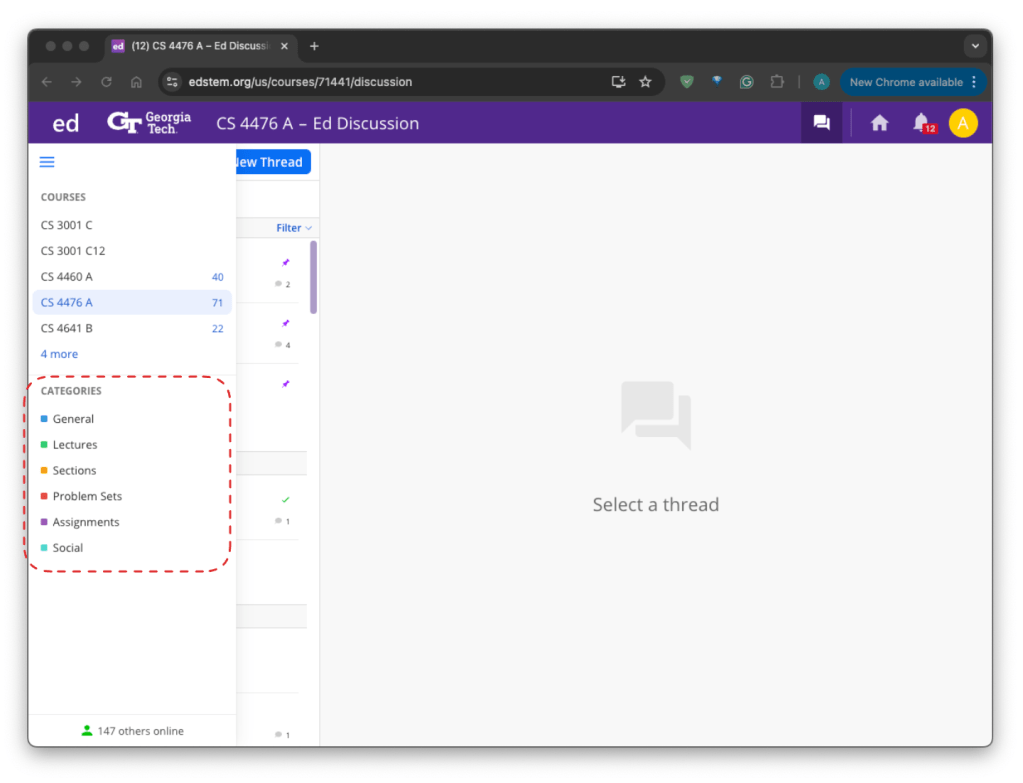
Upon a search, Ed will overlay a new screen listing any hits for your query. Piazza, however, will filter posts on the original webpage to show hits. Check through all hits to find whether your question has been asked.
Step 2: Begin Your Question
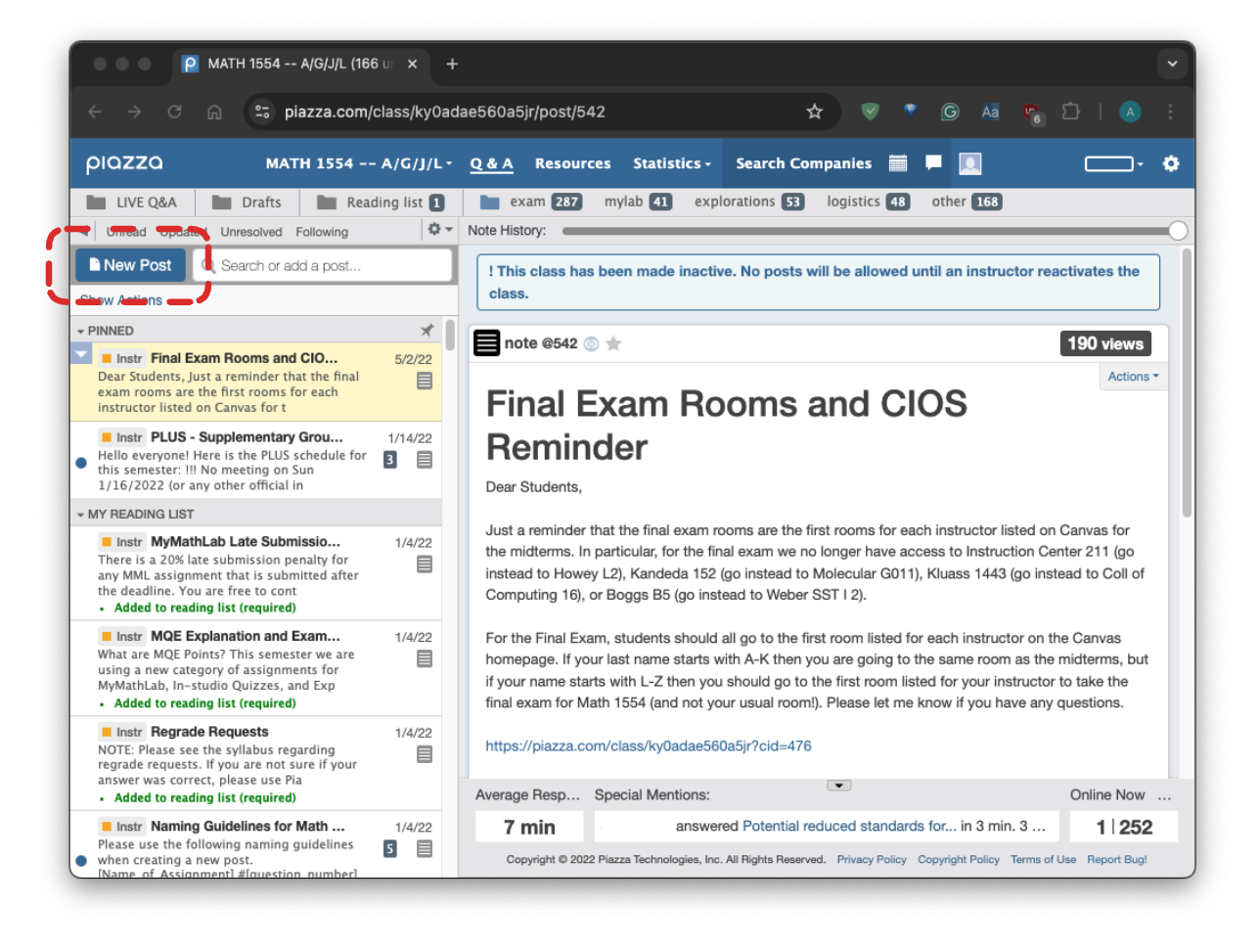
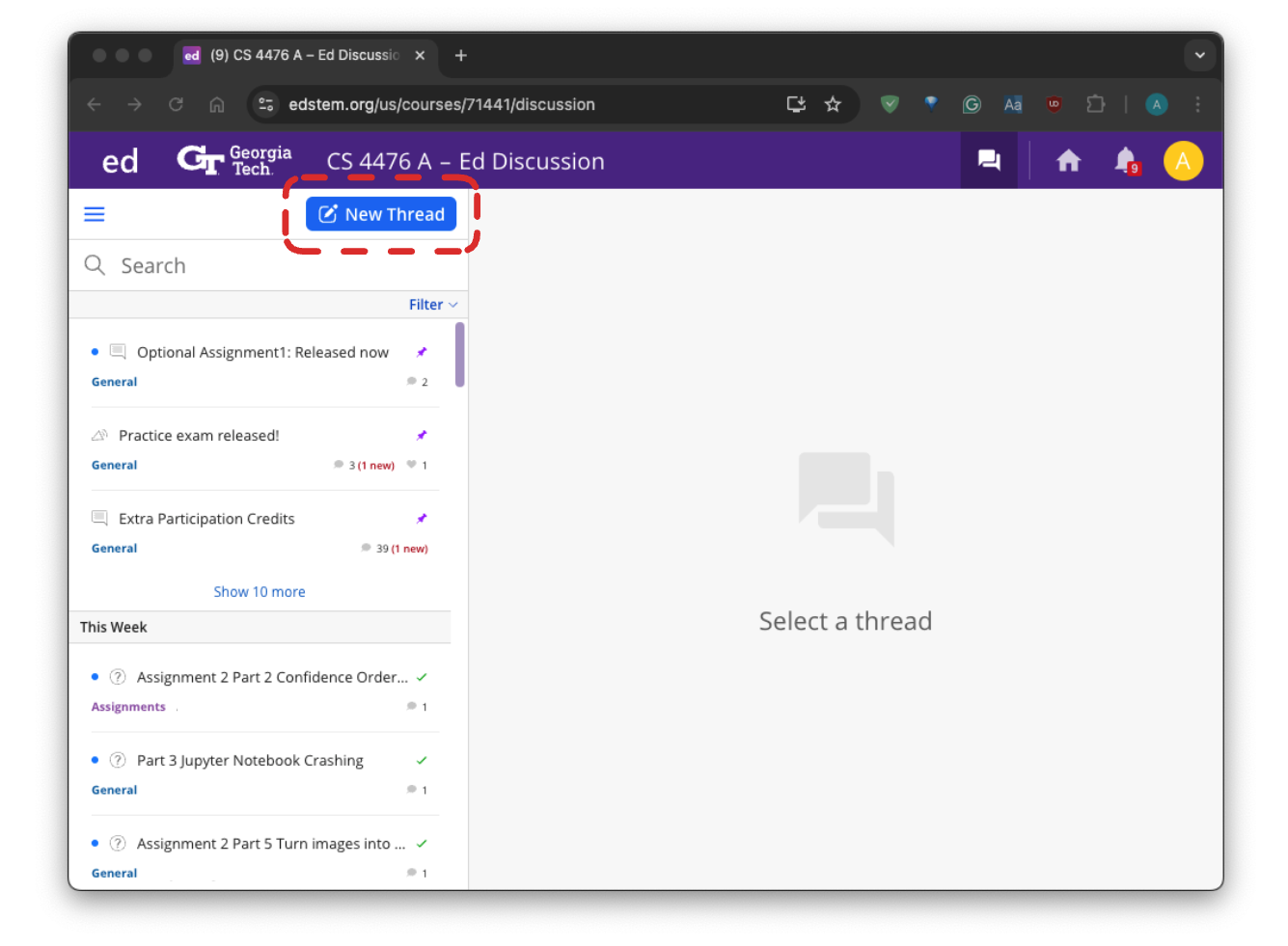
To begin writing a question, you should either:
(1) create a new thread, or
(2) add a reply in a megathread
Subsequent steps in this guide assume you’re creating a new thread and provide some instructions that don’t apply to megathread replies.
- thread: an original post and all replies to that post
- megathread: a special thread created by instructors to concentrate discussion for a topic, usually appearing at the top of the threads list
Step 3: Categorize Your Question
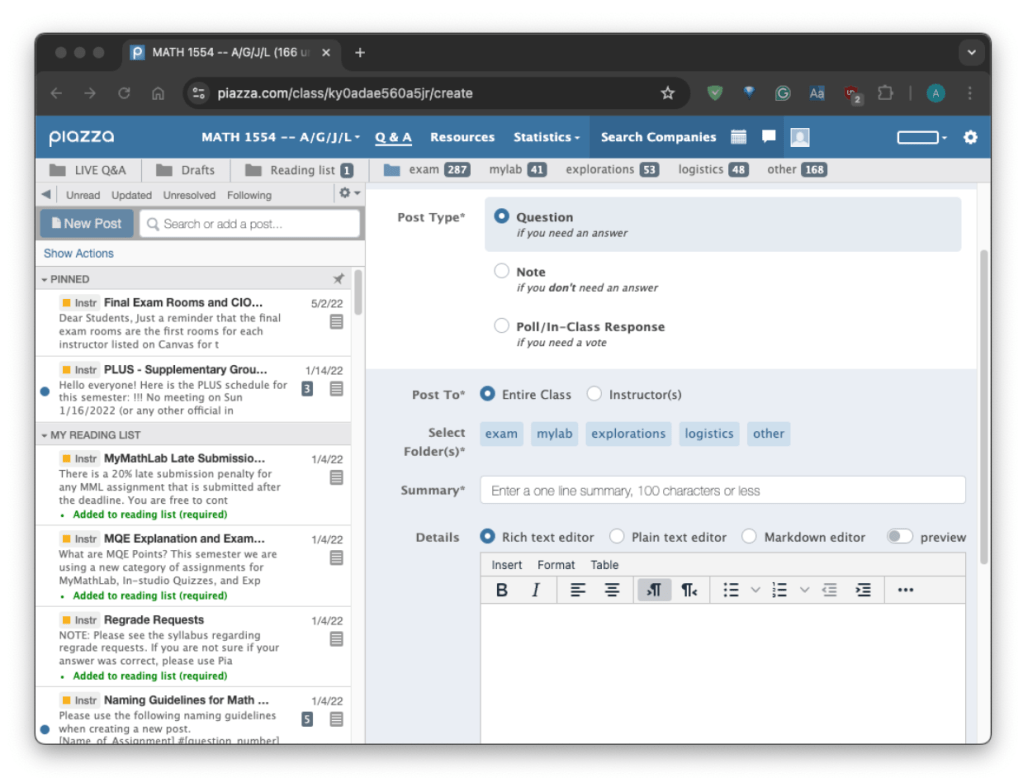
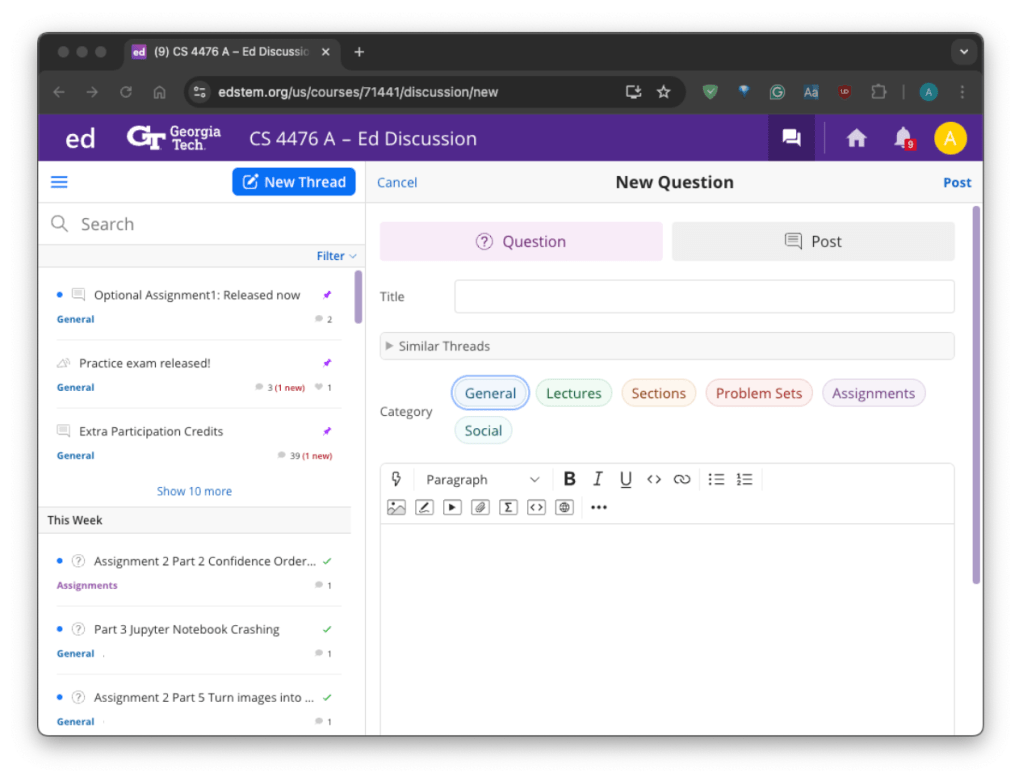
Categorizing your thread requires you to label the nature of your question.
When you pick a category, you should choose the most specific category available. When categories lack specificity, pick the closest catch-all (e.g. “Assignments”).
Some courses require you to choose a category before allowing you to continue your post, so don’t skip this step!
Step 4: Write the Question Itself
Write the specific question you want answered. Unless your question is very simple, it won’t stand alone, and it will require more information to be understood and answered. Regardless, deciding on what exactly you want answered should cue you into what context will be needed.
Step 5: Give Context
Your post should supply all background information needed for a good answer. That information may include:
- Relevant portions of the assignment document (as screenshots or text)
- The specific instruction(s) that confused you
- Solutions you’ve tried
- Your current attempt at a solution
Even when your audience already has access to such information, making it quickly available improves your odds of fielding a quick reply.
When writing a question that revolves around code you’ve written, you might insert each code file into a formatted block.
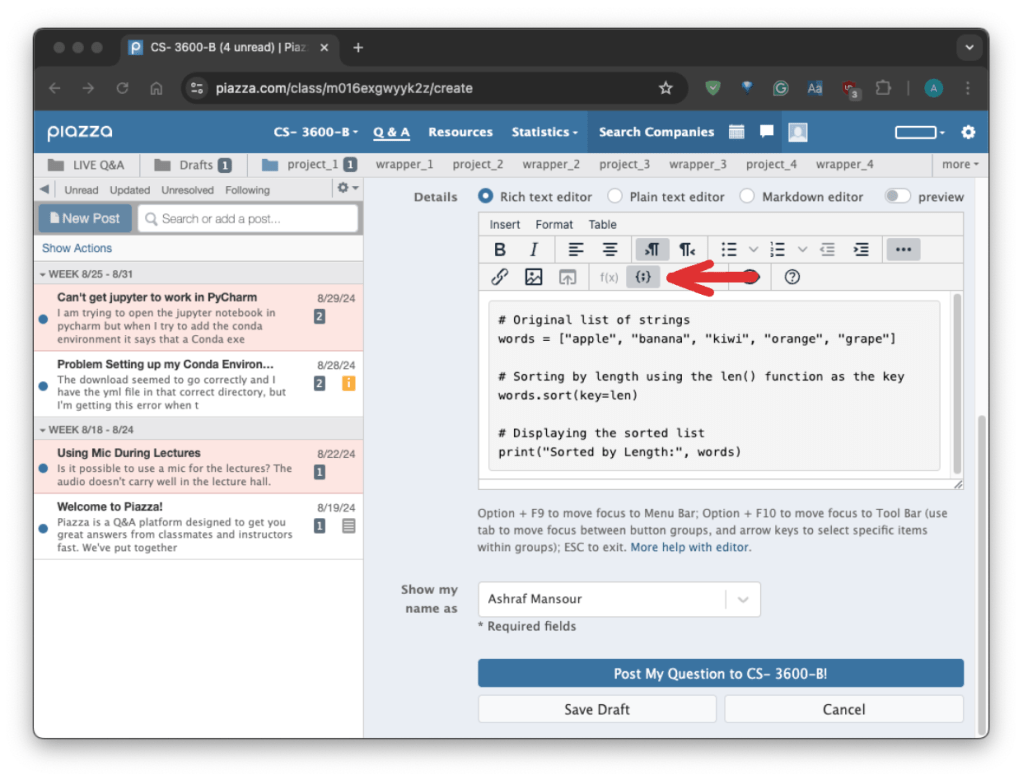
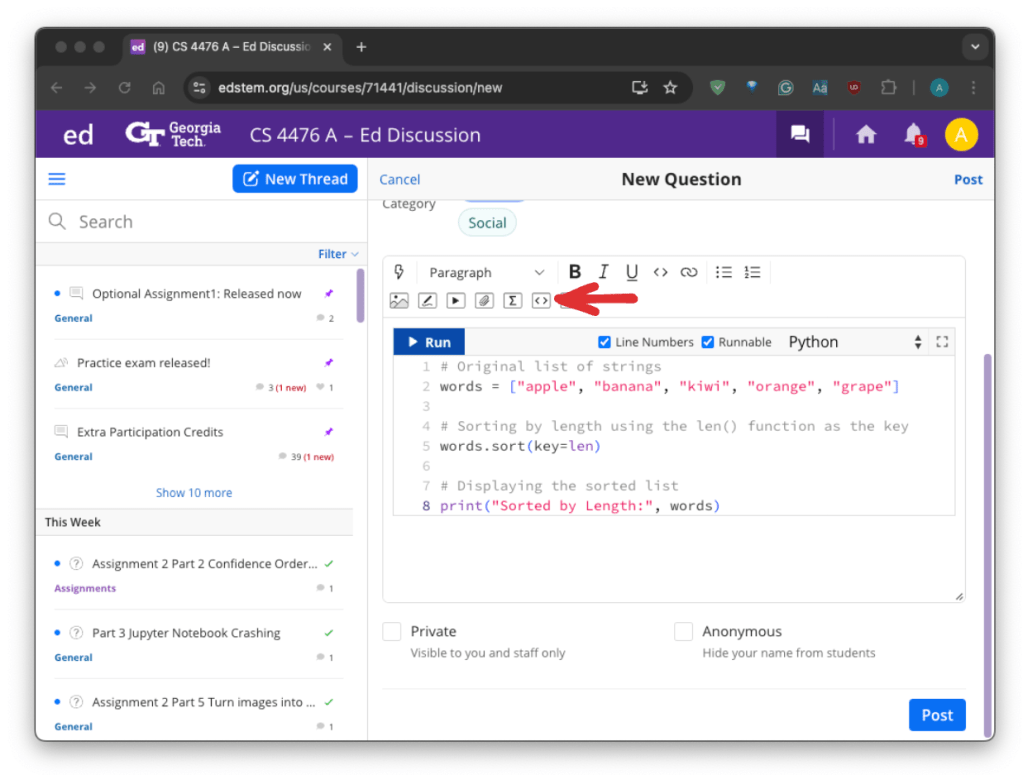
See the following resources for exhaustive post formatting tips:
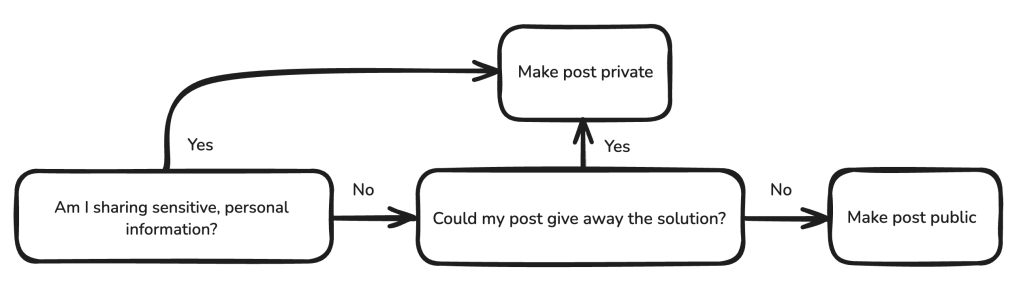
Based on the context you provide, decide whether it’s appropriate to make your question visible to your entire class or to instructors only. If you are unsure whether your context shares too much of your thinking or solution, err on the side of caution; don’t risk an academic integrity violation.
Step 6: Feature Your Question
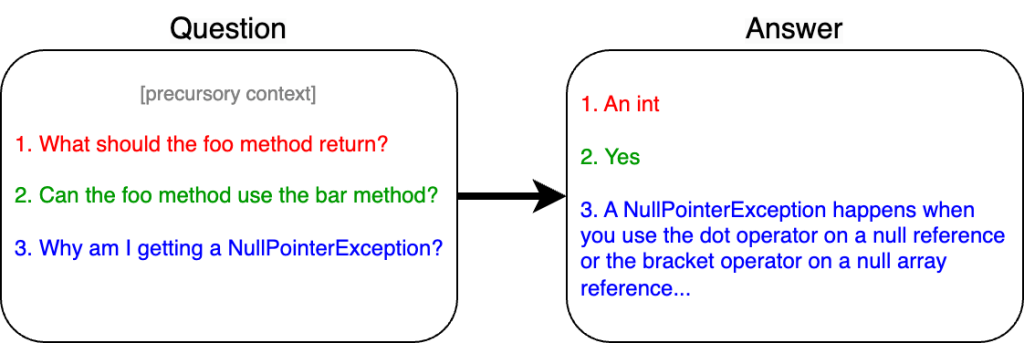
Having drafted the content of your post, you should ensure it clearly identifies your doubts. Your question(s) should be readily apparent. For one, frame them such that they’re punctuated with a question mark.
If your post includes multiple questions, consider making them into a numbered list. Clearly setting your questions apart makes them easy to identify and address. Responses are likely to mirror the structure of your question(s); a well organized question tends to garner an organized response.
Step 7: Title and Post Your Question
A good thread title gives a general idea of a thread’s contents. Beyond a vague overview like “HW1 Confusion,” the title should identify specifics of your question while remaining concise. A better title could be “HW1 foo() method” which identifies your question pertains to foo method code.
Your thread is now ready to post!
Step 8: Follow Up After an Answer
If an answer falls short of addressing your concerns, identify what the answer missed and reply, adding any necessary context. On Ed, you may unmark the “accepted” green check beside the answer to indicate your question needs further attention. On Piazza, any reply you add will mark the thread as having unresolved comments.
If an answer does address your concerns, mark it as helpful. It’s courteous to acknowledge you’ve seen a response and appreciate the time spent answering your question. Besides, building good will with a responder increases the likelihood of repeat answers from that author to your future questions.


Leave a Reply