
By Josie Chang and Ayona Ray
Welcome to the Makerspaces!
Diving into hands-on projects is a defining part of the Georgia Tech experience, yet many first-year, transfer, and existing students completely miss out on the campus’s best resources simply because they don’t know they exist! With eight distinct, free-to-use makerspaces, Tech offers a location for every project. With so many different and fragmented resources, locations, and rules, figuring out which makerspace works best for you can feel overwhelming and stressful.
By making these resources more accessible, this guide will help bridge the gap between a creative spark and actually executing your idea, empowering you to step out of your comfort zone and explore a new part of campus. With the right information in hand, you can skip the stress, unlock your full creative potential, and confidently start building.
What Makerspace is Right for my Project?
1. Define your Project Stage
Where are you in your timeline? If you’re still developing your idea, you might benefit from feedback. Collaborative spaces are best for brainstorming, sketching, and low-fidelity prototyping (i.e. cardboard, scrap materials). Those who are ready to build might instead require access to specialized machinery, from laser cutters and CNC mills to industrial 3D printers.
2. Determine Your Tools & Materials
Once you’ve moved on to the fabrication stage, it’s time to start narrowing down the options.
2.1 Map your Material Needs
Group your requirements into major disciplines (e.g., textiles, woodworking, PCB fabrication, or standard plastics).
2.2 Narrow down the Options
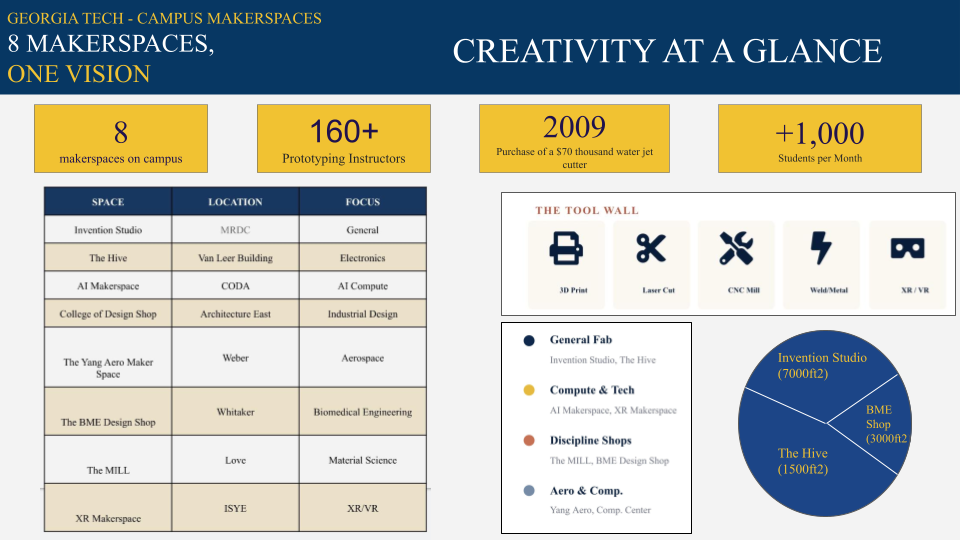
Not every space handles every material. Identifying your core process immediately eliminates labs that don’t possess the required ventilation, safety setups, or toolsets for that material. Use “Makerspaces: At a Glance” to see which spaces might be more aligned with your work.
Makerspaces: At-a-Glance
3. Research & Matching with a Makerspace
Not all makerspaces are the same and each has its own specializations. Consider electronics-focused labs (like The Hive) for circuitry, materials-science labs (like The MILL) for testing and characterization, or heavy mechanical spaces (like the Invention Studio or Aero Maker Space) for major structural work. Read up on “Offered Makerspaces” on our site to find the space that houses the exact machinery and environment your project requires.
4. Compare Locations Using the Map
4.1 Consider Proximity vs. Capabilities
While the closest location is usually ideal, sometimes walking an extra five minutes to a less crowded or more specialized space can save you hours of waiting in line for popular machines.
4.2 Plan Your Material Transit Route
If your project involves transporting heavy lumber, oversized metal sheets, or fragile components, it’s essential to identify nearby parking zones, loading docks, or building entrances with automatic doors and elevator access before you set out. Use our “Interactive Map” to plan your route.
Interactive Map
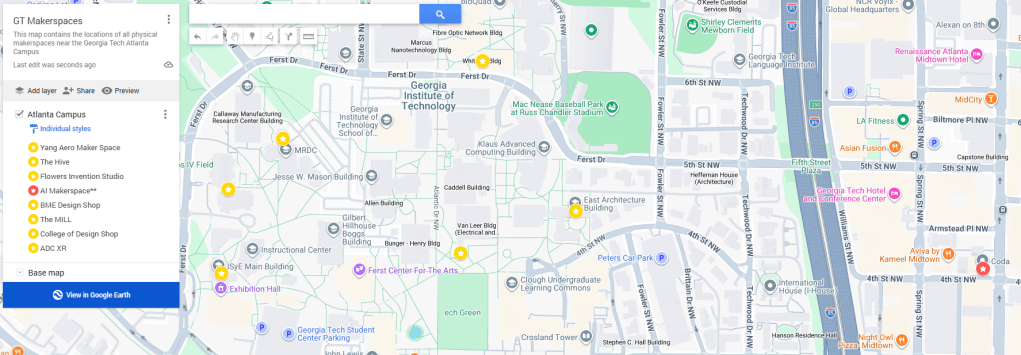
You can access the interactive map HERE.
5. Check Rules, Hours, & Access
Every makerspace has its own operating hours and building access rules. Before heading out, check our makerspaces information to ensure the space is open and note any specific requirements for new users.
Remember that makerspaces are open to the public for as long as the Peer Instructors (PIs) are available. Most makerspaces are closed close to and during breaks. Keep an eye on your calendar!
6. Arrive, Sign In, & Connect with a PI
When you arrive, follow the sign-in procedures outlined for that specific space. Almost every space uses a check-in kiosk or scanner near the main entrance to track attendance and machine usage. Log in immediately upon arrival to ensure you are cleared to look around or claim an open workstation.
Don’t be afraid to speak with a Peer Instructor (PI). They are there to help you get registered, find your way around, and answer questions.
7. Get Building (Safely!)
7.1 Dress for the Environment
Safety starts before you touch a tool. Ensure you are wearing closed-toed shoes, tie back long hair, remove dangling jewelry, and pull on the appropriate safety glasses or personal protective equipment (PPE) required by that facility’s specific safety zones.
If you want to use heavy machinery that requires specialized safety training, or if you hit a roadblock with your build, ask a PI for guidance.
Offered Makerspaces
The Hive
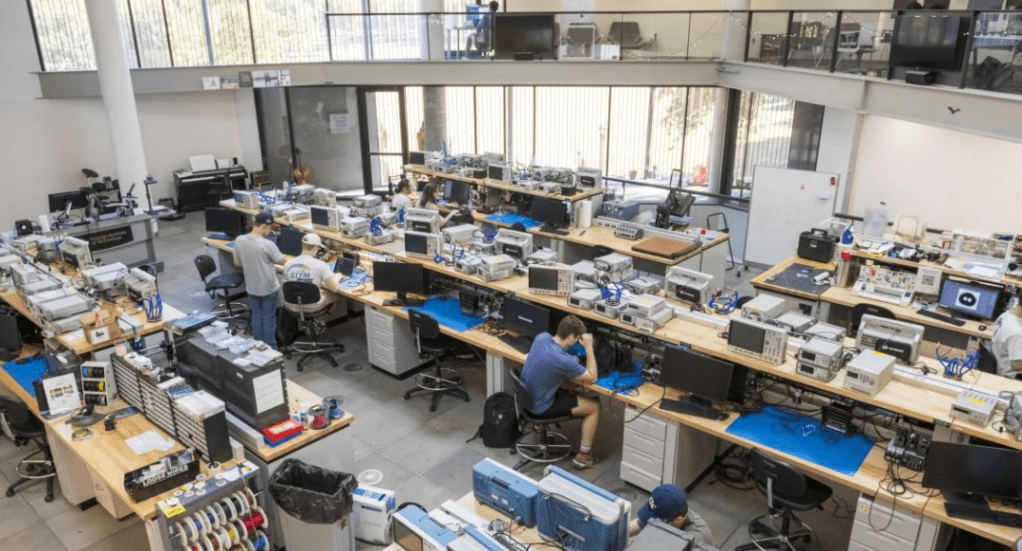
The Hive (also known as the Interdisciplinary Design Commons) is Georgia Tech’s electrical and computer engineering-focused makerspace. It is the premier spot on campus for students across all majors to prototype, test, and debug electronic circuits in a collaborative environment guided by PIs.
The facility features over 20 benchtop stations fully equipped with soldering kits, oscilloscopes, function generators, power supplies, and multimeters. It also offers advanced PCB fabrication powered by a suite of LPKF equipment, alongside traditional makerspace tech like 3D printers, laser cutters, crafts equipment, and a machine shop.
Hours: Monday through Friday from 10:00 AM to 5:00 PM.
Location: Interdisciplinary Design Commons (Between Van Leer and Tech Green)
AI Makerspace

Launched in collaboration with NVIDIA, the AI Makerspace serves as a digital sandbox and high-performance supercomputer hub. Unlike physical fabrication shops, this digital makerspace democratizes access to heavyweight cloud computing resources, allowing undergraduate and graduate students to train advanced machine learning models and experiment with AI-driven ideas at scale.
The cluster is powered by an advanced infrastructure featuring 20 NVIDIA HGX H100 systems (housing 160 NVIDIA H100 Tensor Core GPUs) and 18 NVIDIA HGX H200 systems, interconnected via an NVIDIA Quantum-2 InfiniBand networking platform. It is paired with NVIDIA AI Enterprise and Omniverse software platforms for advanced 3D, AR, and VR development.
Hours: Available online 24/7 via a virtual gateway for eligible coursework and non-instructional student learning (See Additional Resources).
Location: Servers are located in the Coda building in Midtown
Flowers Invention Studio
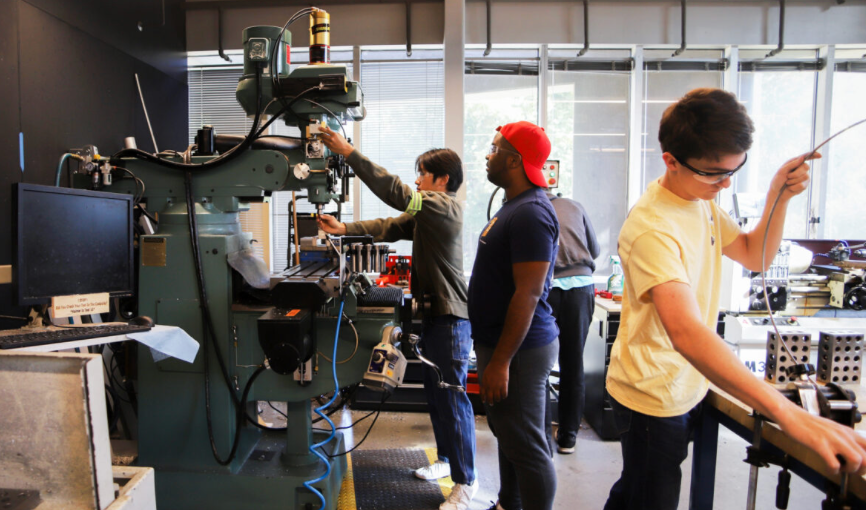
The Flowers Invention Studio is a massive, completely student-run central makerspace open to the entire Georgia Tech community for coursework, research, and personal hobby projects. It is highly collaborative and entirely staffed by PIs who train users on how to safely operate complex machinery.
The space is split into major hubs including a main room featuring a massive fleet of 3D printers, laser cutters, electronics/robotics gear, and sewing stations. It also houses a fully loaded wood room, a metal room, welding equipment, and an industrial waterjet cutter.
Hours: Wednesday from 12:00 PM to 4:00 PM, and Tuesday/Thursday from 5:00 PM to 8:00 PM.
Location: MRDC
Yang Aero Makerspace
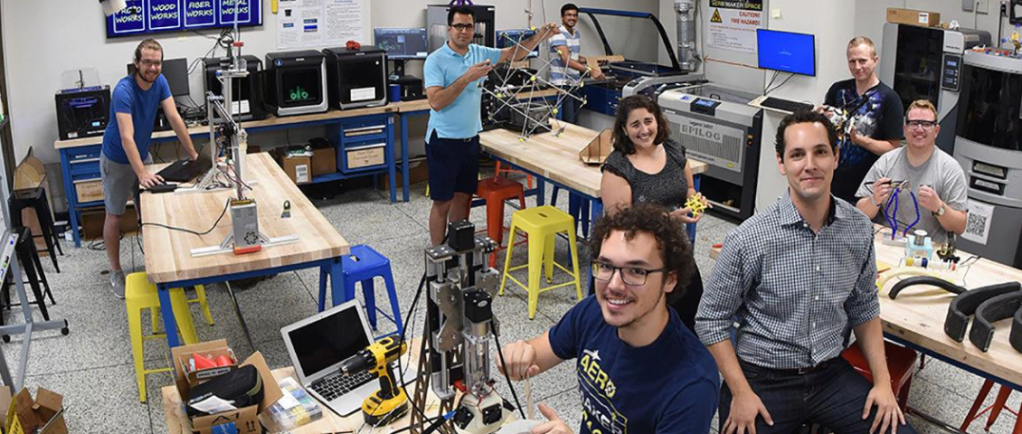
The Aero Maker Space (AMS) is a specialized environment tailored to aerospace engineering students but welcoming to all majors. Supported by on-duty mentors, it gives students a dedicated space to design, build, and test atmospheric and space-focused hardware.
The shop is equipped for structural fabrication and aerospace modeling, featuring 3D printers, laser cutters, electronics benches, and a suite of lightweight machining tools optimized for wood, plastics, and composites.
Hours:
Fall and Spring semesters: Monday through Friday from 10:00 AM to 6:00 PM. Summer semester: Monday through Friday from 12:00 PM to 4:00 PM.
Location: Weber Space Science and Technology (SST) Building
BME Design Shop
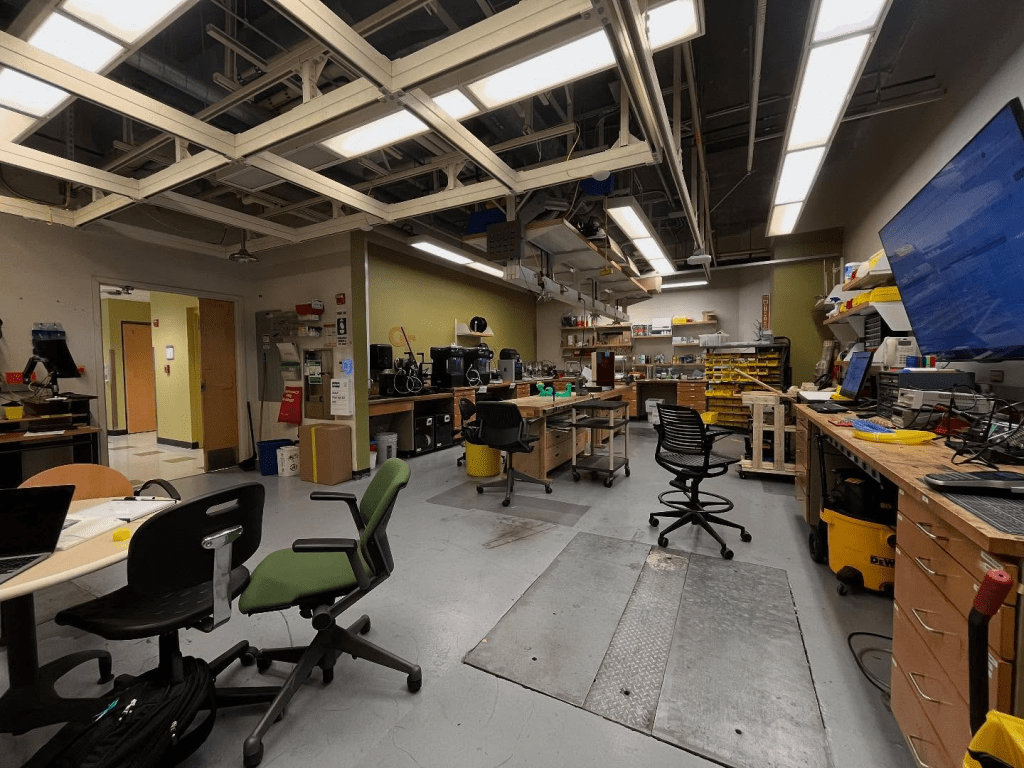
The BME Design Shop is a hands-on prototyping facility designed to help students turn biomedical concepts into real-world healthcare solutions. While open to the broader GT community, the space explicitly focuses its resources on supporting official, GT-related coursework, capstones, and collaborative research projects.
Prototyping equipment includes high-precision Bambu 3D printers (running PLA, TPU, etc.), industrial Stratasys F170 and F370 3D printers, resin 3D printers, a drill press, a belt sander, soldering stations, and a Universal Laser Systems laser cutter.
Hours: Open during the academic semesters with variable hours; operations run Monday through Friday (check their live calendar for exact weekly schedules).
Location: Whitaker Building
The MILL
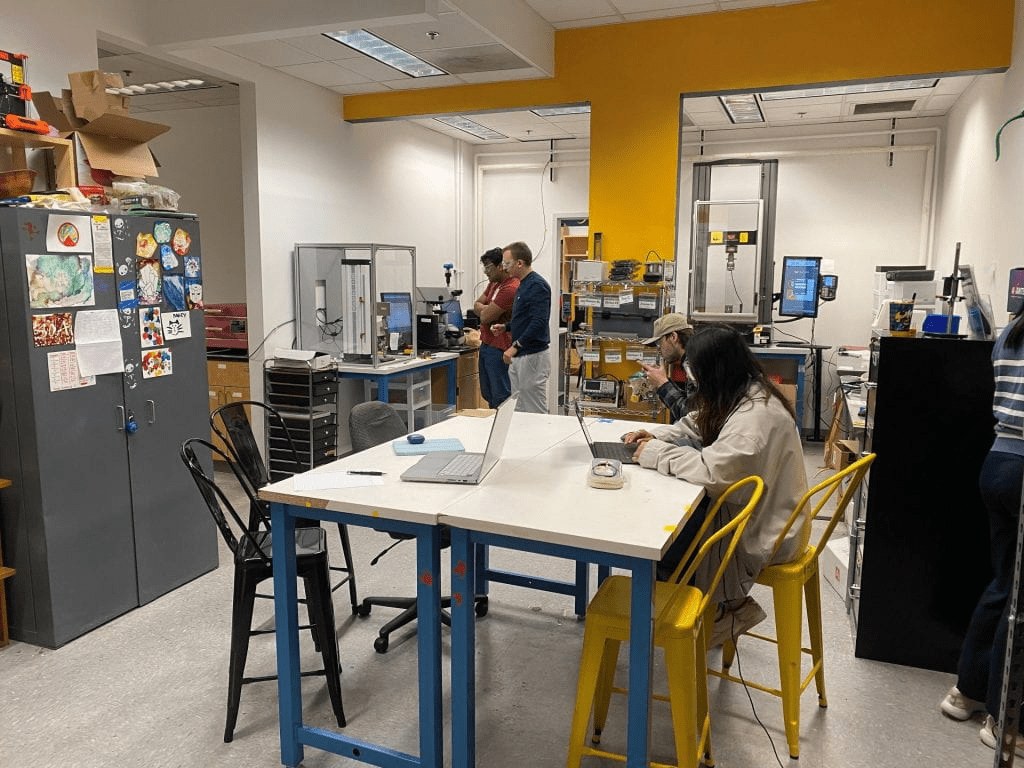
The Materials Innovation and Learning Laboratory (The MILL) is an open-access makerspace focused entirely on materials science and characterization. It allows students of all majors to explore how materials behave, look, and perform under various conditions, moving beyond standard fabrication to true material discovery.
The facility features sophisticated scientific instrumentation including scanning electron microscopes (SEMs), X-ray diffraction (XRD) systems, optical microscopes, mechanical testing systems (like tensile testers), thermal analysis tools, and sample preparation equipment.
Hours: Monday through Friday from 10:00 AM to 5:00 PM.
Location: Love Manufacturing Building
College of Design Shop
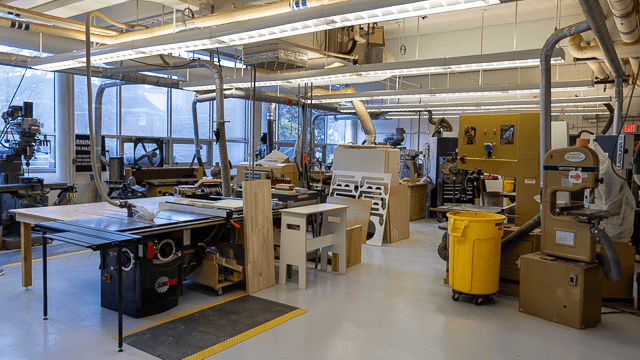
Located on the ground floor of Architecture East, the College of Design Shop provides industrial design and architecture students with the high-end machinery required for rapid, accurate physical prototyping. The environment supports everything from small product models to larger architectural mockups.
The facility provides comprehensive fabrication capabilities across multiple fields: woodworking (table saws, band saws, 5-axis routers), metalworking (plasma cutters, sheet metal forming, welding), plastic fabrication (vacuforming, casting, thermoforming), and rapid prototyping (multiple desktop and industrial 3D printers, laser cutters, and an industrial sewing machine).
Hours: Monday through Thursday from 10:00 AM to 10:00 PM, Friday from 8:00 AM to 5:00 PM, and Sunday from 12:00 PM to 8:00 PM.
Location: East Architecture Building
ADC XR
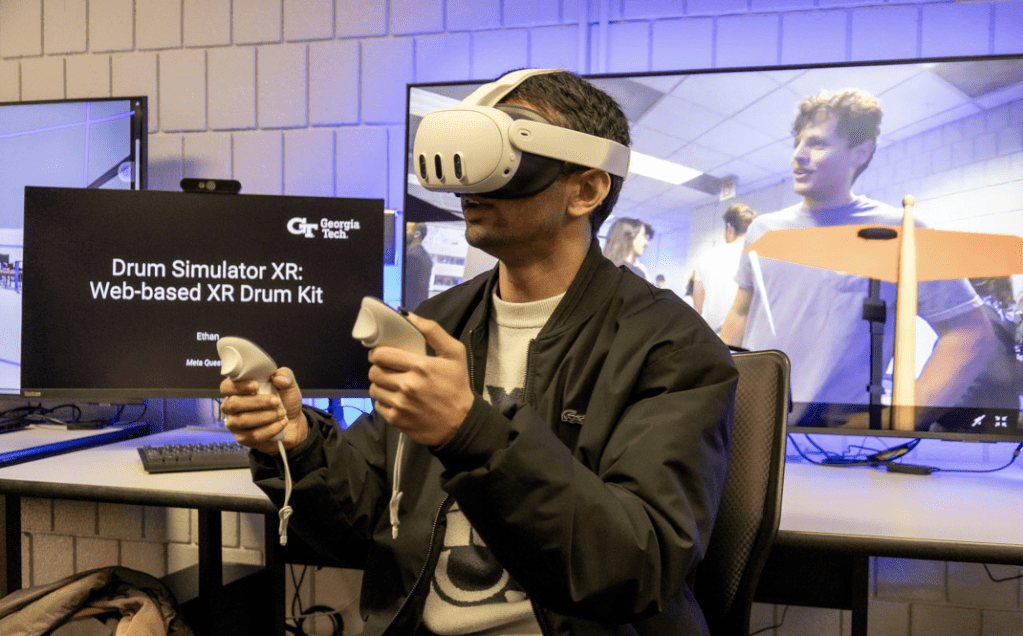
The Allen-Davidson-Coleman (ADC) XR Makerspace is a cutting-edge playground within the ISyE community dedicated completely to virtual, augmented, and mixed reality applications. It provides the physical hardware, high-powered computing rigs, and expert spatial-computing guidance needed to design immersive software experiences.
The space hosts a world-class fleet of headsets including Meta Quest 2/3/Pro, Varjo XR-4, Apple Vision Pro, and Microsoft HoloLens 2 units. Immersive accessories include SenseGlove Nova 2 haptic gloves, a Virtuix Omni 360-degree VR Treadmill, a Revopoint MIRACO Plus sub-millimeter 3D scanner, and heavy-duty Alienware PC rigs packed with NVIDIA RTX 5090 and 5080 GPUs.
Hours: Monday from 1:00 PM to 4:00 PM, and Tuesday through Friday from 1:00 PM to 3:00 PM.
Location: ISYE Main Building
Takeaway
Having knowledge and experience with any of the makerspaces is useful for any student at Georgia Tech, no matter your major or your background. These spaces are free, run by fellow students, and built for experimenting. Even if you don’t have a project idea right now, just stepping inside, seeing what other people are working on, and chatting with the peer instructors can spark interest.
Take this as a simple challenge to notice the campus around you a bit more. The next time you walk past one of those heavy lab doors, don’t just pass it by. Push it open, look around, and stay curious. These resources are already here for you—you just have to go find them.
Additional Resources
Want further information on how to access the AI Makerspace? Explore PACE.
Like to go on a virtual tour of the makerspaces? Check out this collection of tours.
Struggling to develop your idea? Visit the Office of Experiential and Engaged Learning’s resources.


Leave a Reply