

Created By: Mattias Anderson, Nithyaa Bala, and Sumukh Paspuleti
Introduction
Starting at Georgia Tech can be both exciting and overwhelming, especially when you realize how important technical interviews are for internships and future jobs. One of the best ways to prepare is through LeetCode, a platform full of coding challenges that build problem-solving and algorithmic thinking skills. This guide will help you get started with LeetCode — from navigating the site and approaching common question types to finding useful strategies and resources. By learning how to use LeetCode effectively, you’ll gain the confidence and skills needed to succeed in technical interviews throughout your time at Georgia Tech.
Excerpt
LeetCode is one of the most important tools for Georgia Tech students preparing for internships and technical interviews. This guide introduces new users to the platform, explains how to approach common coding problems, and highlights additional resources to make practice more effective. By learning how to use LeetCode early, students can build the skills and confidence needed for future career opportunities.
Step 1: Signing Up/Logging On
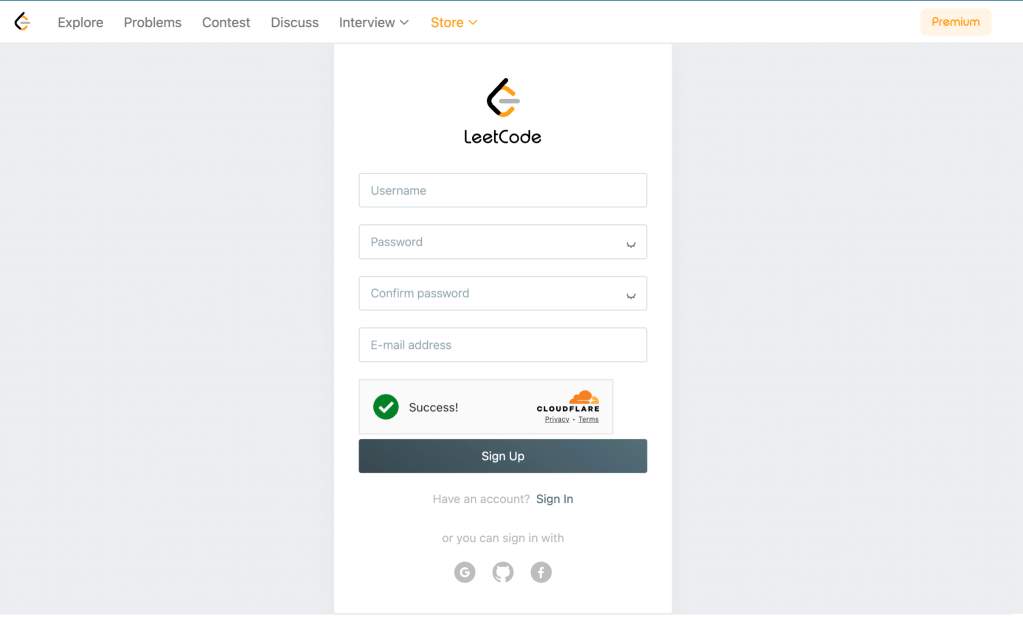
To get started, head to the LeetCode website and sign in using your preferred method: Google, Georgia Tech email, GitHub, or another option. We recommend creating your account with a personal email address rather than your school one so you can keep access to your progress and submissions even after graduation. Once logged in, you’ll have access to your dashboard, problem sets, and study plans.
Step 2: Accessing a Problem
After logging in, go to the Problems page — here you’ll find a large list of coding questions across all topics. Here you can browse problems, as shown below:
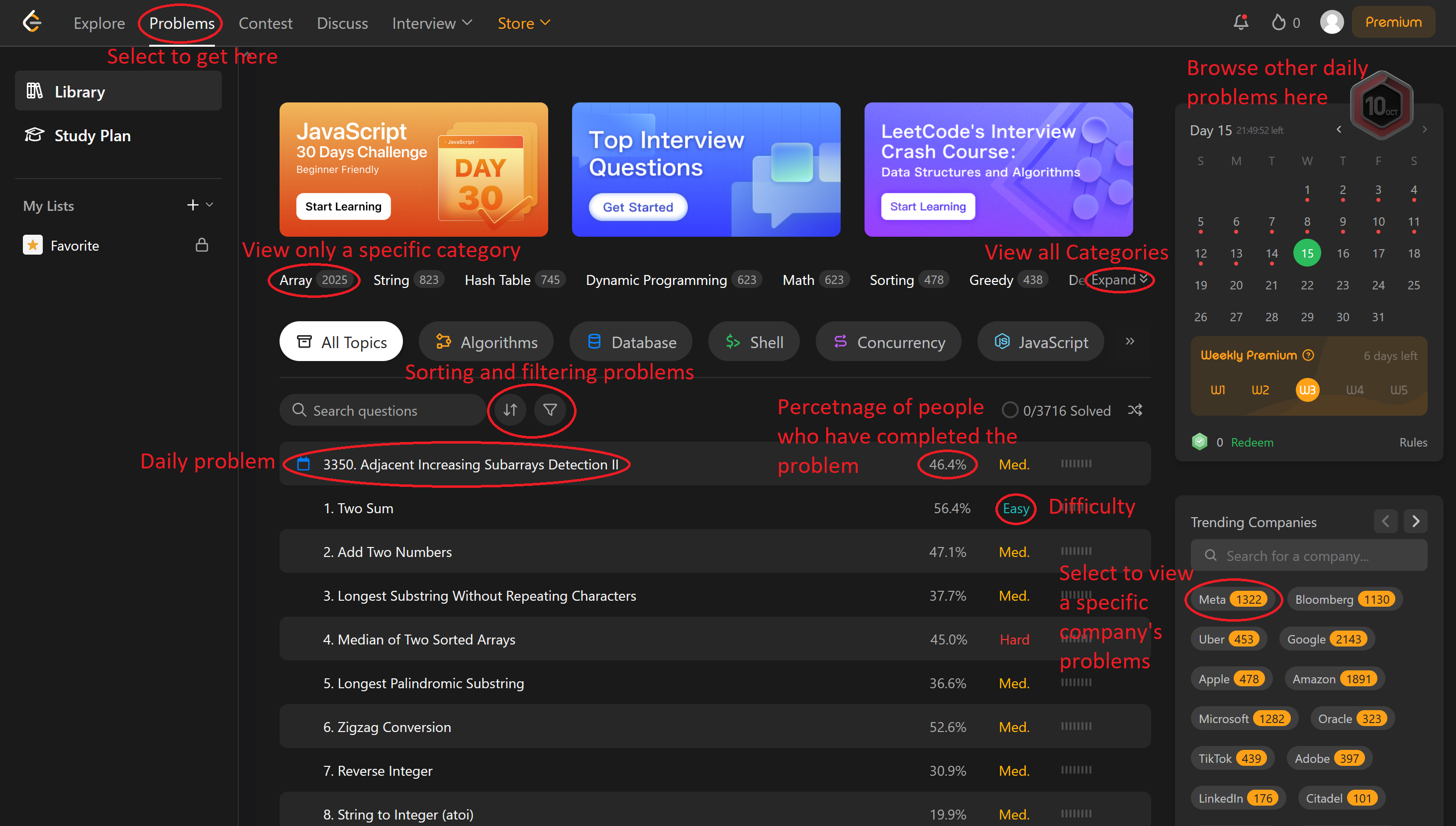

On the left sidebar, you’ll also see options such as My Lists and Study Plans, which let you organize your practice or follow guided learning paths. A great place to start is the LeetCode 75 list — a curated set of 75 problems that cover a wide range of topics and help you build a strong foundation.
LeetCode also offers a Premium subscription, which unlocks access to company-specific questions from past interviews, detailed official solutions, and other helpful features for advanced preparation. Although, most features can be used without it
Step 3: Viewing Solutions
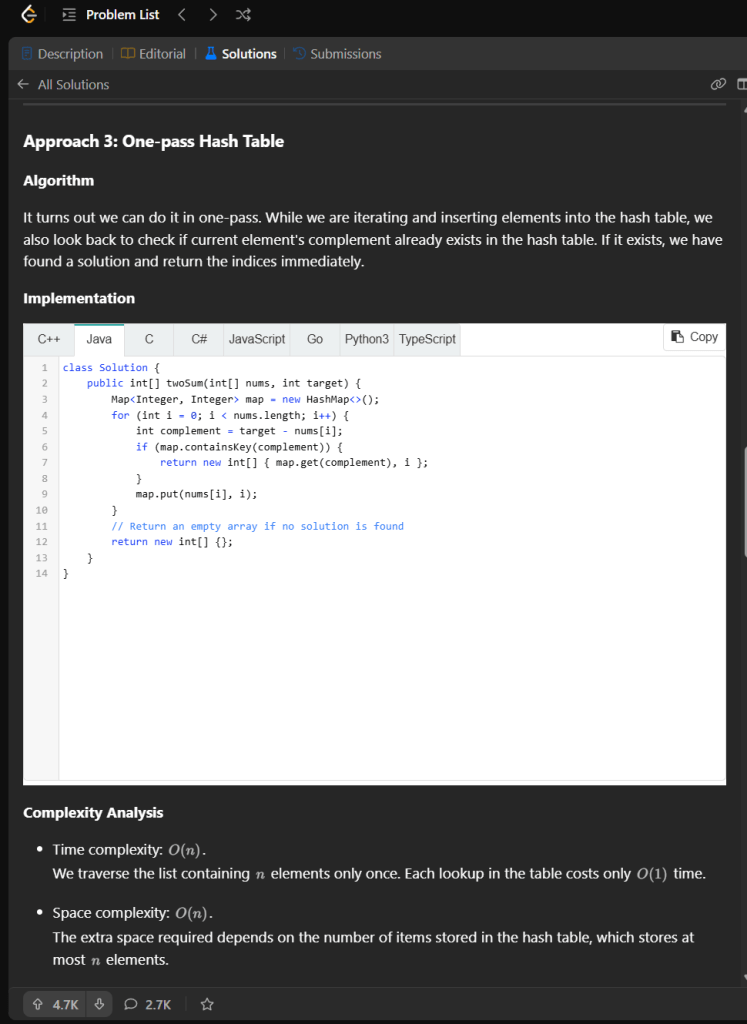
The LeetCode website offers a convenient way to see both official and user-made solutions to their coding challenges. These solutions are broken down into multiple parts to help standardize the user experience and ensure clear communication into the line of reasoning used to create said solutions.
These solutions are broken down into multiple parts to help standardize the user experience and ensure clear communication into the line of reasoning used to create said solutions. For example, most solutions first offer a naive solution with a relatively inefficient time and space complexity. Then better solutions are introduced with a more efficient time or space complexity and thus are more competitive solutions to solve with.
- Each solution can be broken down into three main parts
- The First Part – Reasoning
- Why the given solution works
- Can be very long or very short depending on the complexity
- The Second Part – Code implementation
- Actual code implementation of the solution
- Usually includes multiple different languages
- Java
- Python
- C++
- Each language may be significantly different in difficulty of implementation
- The Third Part – Time and space complexity
- Analysis of time and space complexity of the given solution
- Represents the worst case scenario bounds of time taken and space used
- This article goes into far more detail here
Step 4: Creating Your Own Solutions
Once you are able to solve the problem and pass all of the visible and hidden test cases, you will gain the ability to share your solution with the broader LeetCode community.
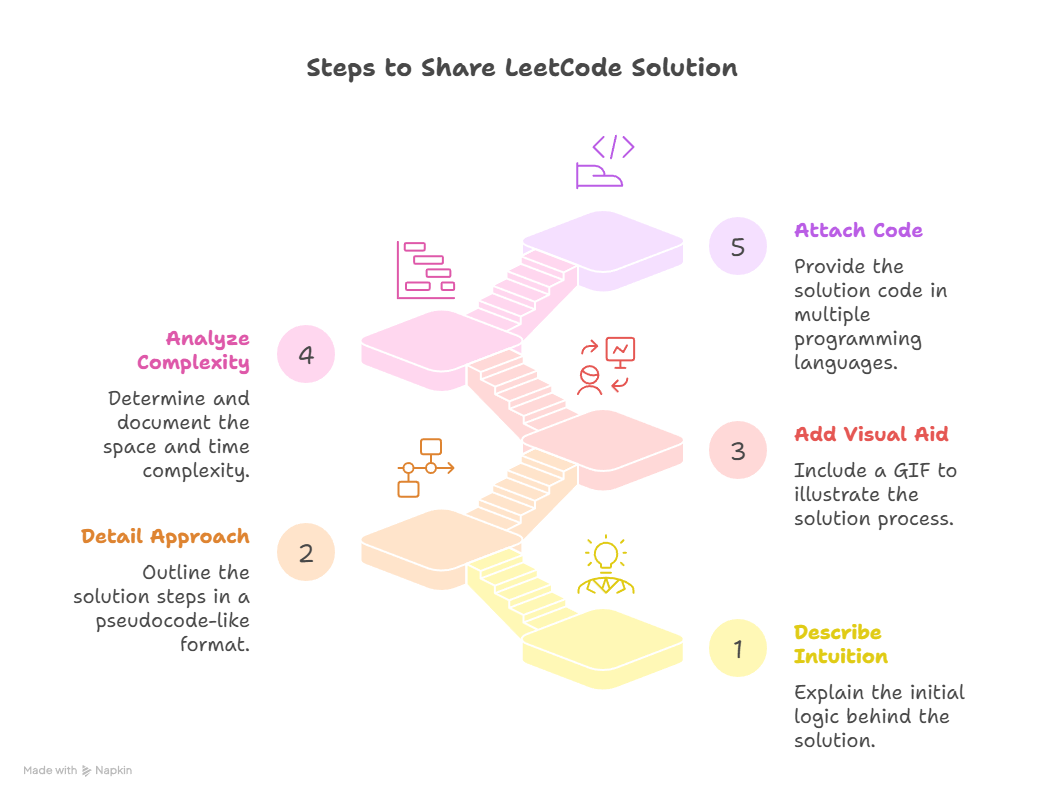
There are several major steps that must be done to ensure your solution meets the standards of a documented LeetCode solution. First, the intuition used to create the documentation needs to be described with the first thoughts being about the overall logic used. In addition, the approach needs to be described using detailed steps almost like pseudocode. A gif of the approach can be attached to help detail the approach better in a more visual format. Then the space and time complexity must be added and the actual code must be attached with a preference to include multiple common programming languages like Java, Python, and C++.
Step 5: Viewing Contests

There are contests that are virtually hosted by the LeetCode organization that offer LeetCode merchandise as rewards for being the top 3 contests. Moreover, there are usually 4 questions that have specifically been created for the contest. The questions are usually made up of 1 easy question, 2 medium questions, and 1 hard question. Moreover, the rules of the contest heavily penalize incorrect submissions to the question with a time penalty of 5 minutes being applied. Therefore, it is essential to test one’s solution using the run button before submitting the question. You can also add test cases and test them to cover edge cases.
Step 6: Searching for Tips on Discussion Posts
If you have more broad questions or want to know more about a specific topic, discussion posts are an excellent way to learn more. On the top banner, simply click the discuss tab and you’ll be taken to the discussion post page. Once on the page, you can sort which posts you are viewing by selecting an area of interest at the top. On the left side of the page, you can search for any specific posts, and you can sort the results by newest or most popular.

Clicking on a post allows you to view the original post and scrolling down lets you see any comments from other users about the post. You can add your own comments if you have an account, and reply to others. Finally, back on the main discussion page, you can create your own discussion posts by selecting the green create button. This will bring you to a new page where you can add a title, select topics to add it under, write the post itself, and then post your discussion.
Step 7: Interview Assessments
Once you gain some experience with Leetcode, you can put your abilities to the test. On the top banner, select the interview tab and navigate to assessments. Here you can be given random mock interview questions and see how well you do. If you have the premium version, you can also be given specific companies interview questions for practice. You can also view an overview of your mock assessments to see how you do overall from the assessments home page.
Step 8: Additional Resources
To close out this guide, we have provided some additional resources for you to use while using LeetCode. Have fun coding, and refer back to this guide whenever you need help.


Leave a Reply