

Authors: Dhruv Patel and Lauren McPeters
Introduction
As Georgia Tech students, it is exceptionally difficult to balance coursework, extracurriculars, and applications with time for ourselves, friends, and family. Improper time management can lead to stress, anxiety, depression, and other health issues. Fortunately, there are effective strategies you can use to manage time.
In this guide, we’ll explain how to build a skeleton schedule and use an Eisenhower matrix to manage time in alignment with your personal goals for well-being.
Table of Contents
Part 1: Creating a Skeleton Schedule
What is a skeleton schedule?
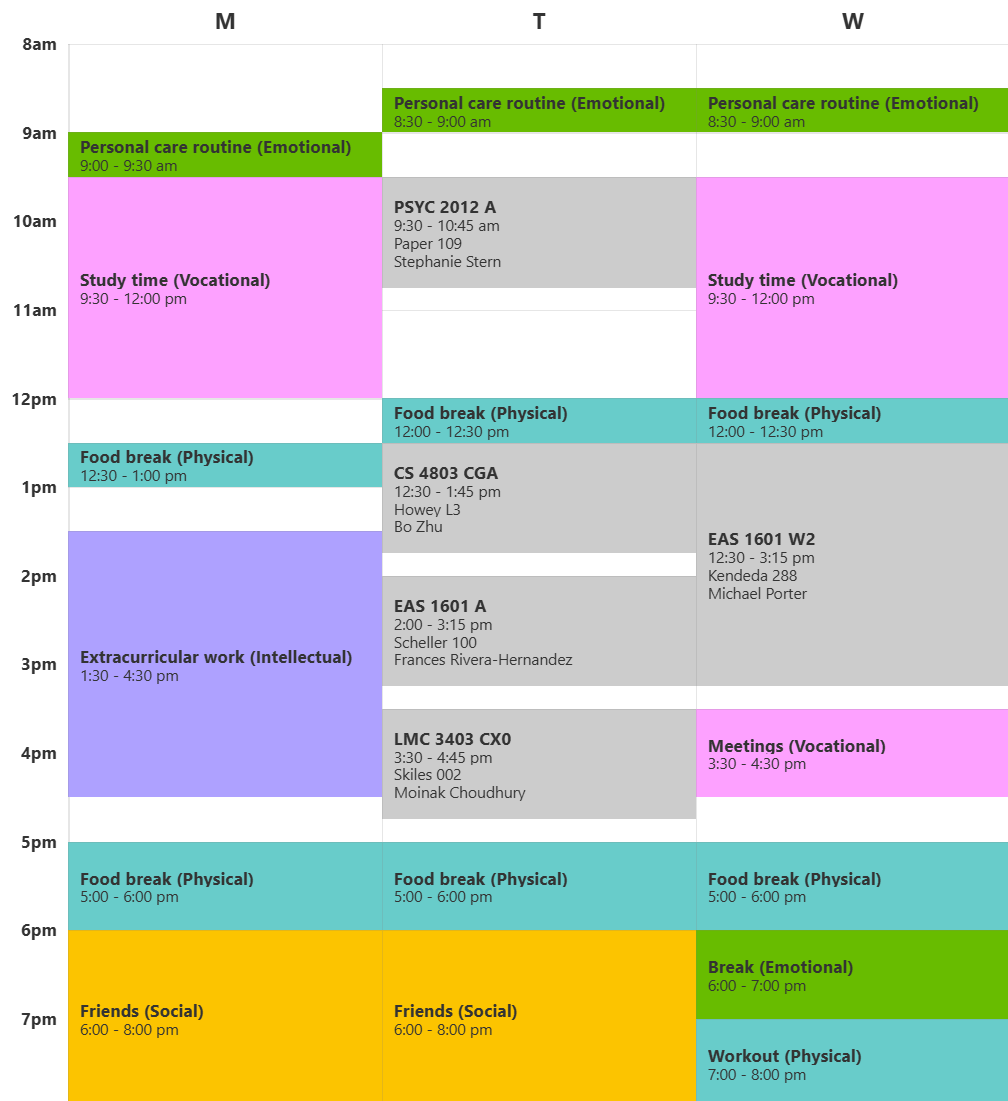
A skeleton schedule is a tool to organize time into blocks dedicated to certain categories of tasks.
Instead of sectioning off time for each granular task, similar tasks are grouped together. For example, a personal maintenance time block would be dedicated to personal hygiene, fitness, and home chores. This approach to time-management is called task-batching, which reduces the cognitive load associated with switching between similar and dissimilar tasks.
A skeleton approach helps balance the time you spend on each domain of your life, while maintaining flexibility within each batch of tasks.
How to build a skeleton schedule step-by-step
Step 1: Identify well-being domains
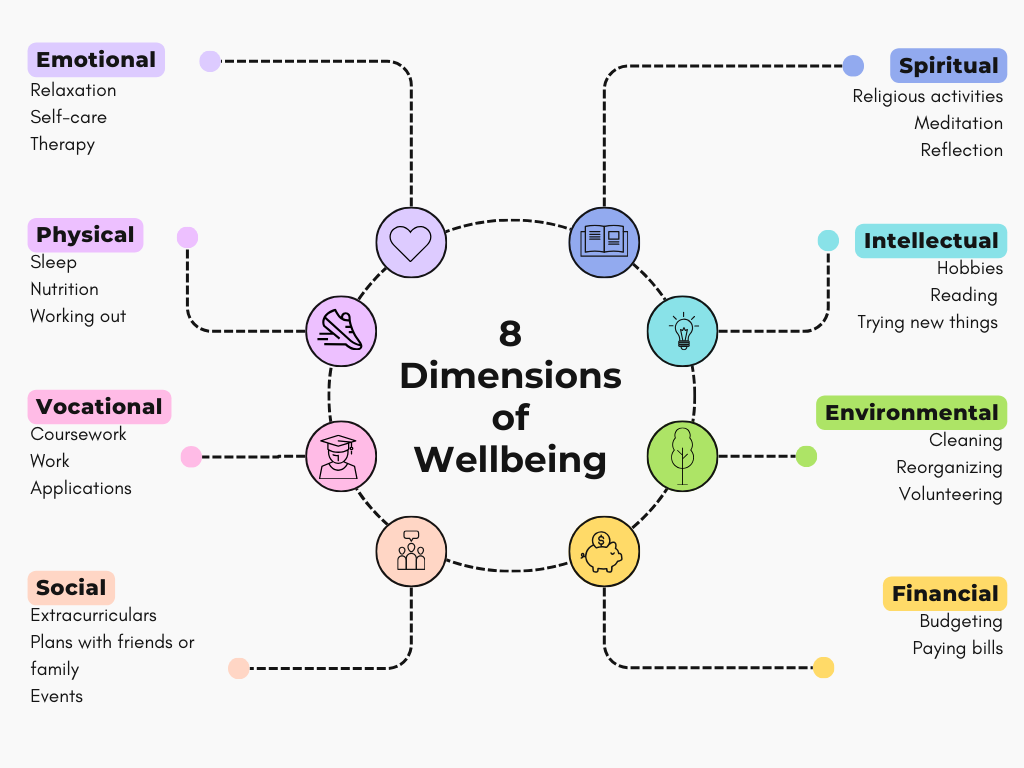
The 8 dimensions of wellness represent areas in which we take action to improve our overall well-being. We can use these domains as a framework to categorize what we do and why we do it.
Explore the info-graphic below to see examples of activities that support each domain, then identify at least five key well-being domains that matter to you the most. To do this, ask yourself:
- What aspects of my life require my energy?
- In what areas do I want to improve myself?
- What domains bring me joy?
Step 2: Allocate time per domain
Estimate how much time each of your key domains requires per week. If a domain requires time every day or more time on the weekdays or weekends, make note of these requirements.
Your domain allocations might look like:
- Social – 8 hours
- Emotional – 4 hours
- Vocational – 30 hours
- Intellectual – 8 hours
- Physical – 6 hours
Step 3: Set up GT Scheduler
Navigate to GT Scheduler, a scheduling tool made specifically for Georgia Tech students and classes.
- Using the course tab, add each of your course sections to the calendar.
- Using the recurring events tab, add any weekly commitments such as work or club meetings.
Step 4: Add domain-specific time blocks
Evaluate your list of domains and time requirements to add domain-specific recurring time-blocks to your schedule.
Remember that this is an iterative process. You may need to reevaluate your time allocations to ensure that your time is balanced across key domains.
Part 2: Prioritizing Tasks With An Eisenhower Matrix
Now that you have mapped out your weeks into time blocks, you can consider what granular tasks need to be accomplished. We recommend using an Eisenhower matrix daily or weekly to prioritize tasks for each key domain.
What is an Eisenhower matrix?
The Eisenhower Matrix is a tool used to prioritize responsibilities so that you can streamline your workflow while addressing critical responsibilities. This method allows you to minimize procrastination by breaking down large tasks into steps that require less time to complete.
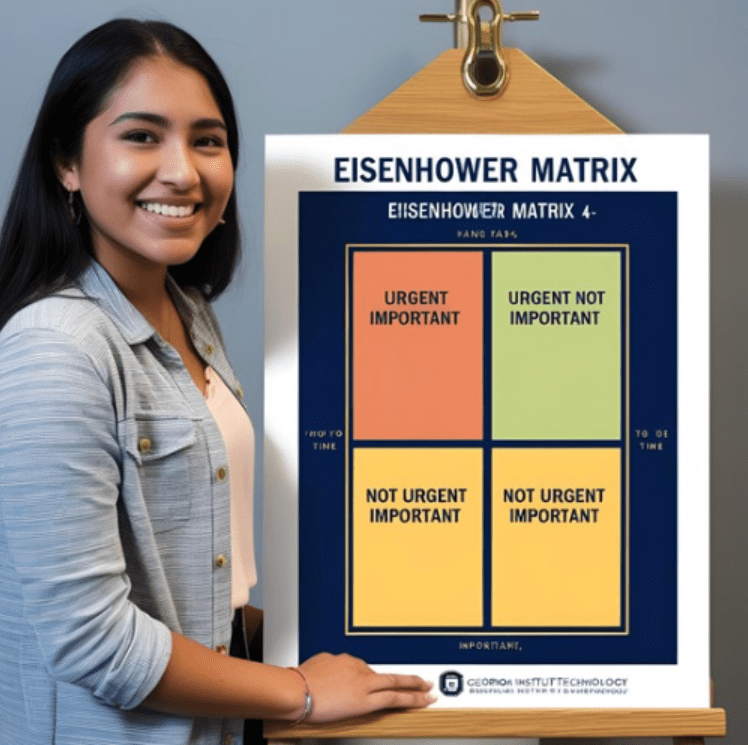
Student at Georgia Institute of Technology utilizing the Eisenhower Matrix to manage responsibilities based on time sensitivity, urgency, and importance.
How to use an Eisenhower matrix step-by-step
Step 1: Set up the matrix
Create a 2×2 matrix and split into 4 quadrants. You can use paper, a document editor, or a workspace like Notion.
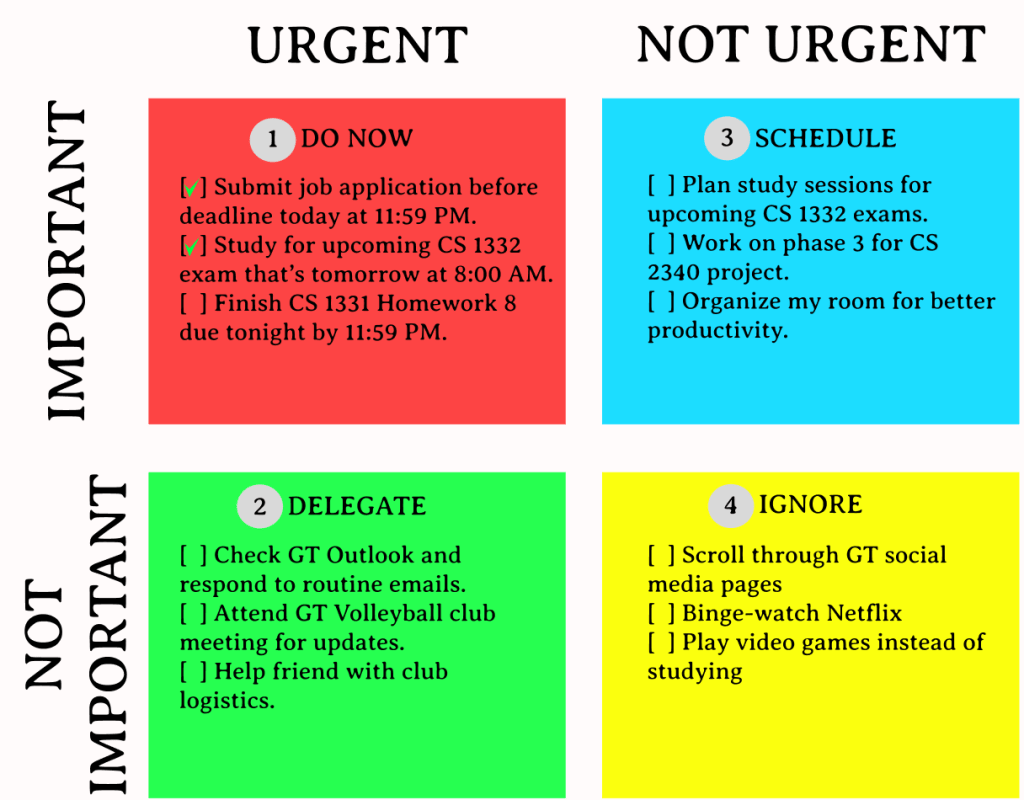
Label the top left quadrant “Do: Urgent and Important,” the top right quadrant “Schedule: Not Urgent but Important,” the bottom left quadrant “Delegate: Urgent but Not Important,” and the bottom right quadrant: “Ignore: Not Urgent and Not Important.”
Do: Urgent and Important Schedule: Not Urgent but Important Delegate: Urgent but Not Important Ignore: Not Urgent and Not Important
Step 2: List and group responsibilities
List your personal, academic (using Georgia Tech Canvas), and social responsibilities for the day and group them into one of the three responsibility categories.
Step 3: Sort tasks into quadrants
Evaluate each responsibility/task based on its urgency and importance:
- Do – Urgent & Important: If the task has to be completed immediately, has clear consequences, and affects your long-term goals if not cleared promptly, then place it in the top left quadrant.
- Think ‘medical emergencies’ and ‘work assignments due’.
- Delegate – Urgent but Not Important: If the task is crucial and time-sensitive but doesn’t have clear consequences if not accomplished, then place it in the bottom left quadrant.
- Think ‘answering a colleague’s email’ or ‘attending non-critical meetings’.
- Schedule – Urgent but Important: If the task has unclear deadlines, is crucial but not time-sensitive, and contributes to long-term success, place it in the top right quadrant.
- Think ‘save for a luxury house’ or ‘plan an immediate family outing’.
- Ignore – Not Urgent and Not Important: If the task is a need rather than a necessity and not a priority, place it in the bottom right quadrant.
- Think of tasks that would be nice to do but aren’t necessities, such as ‘rearranging your bedroom’ or ‘online shopping’.
Step 4: Prioritize tasks within quadrants
Prioritize the tasks within each quadrant by focusing on the completion of the urgent and important tasks first, then urgent and not important, then not urgent and important, then not urgent and not important tasks last.
 GT-How
Leave a comment