

Created by Lamisa Alam and Darin Xie
A comprehensive guide detailing how to use the resources Rate My Professors, GT Course Critique, and GT LITE effectively in course planning for future registration.
Table of Contents
- Table of Contents
- Introduction
- Step 1: Looking over course offerings for the semester.
- Step 2: Looking up Professor’s on Rate My Professors
- Step 3: Reading through reviews to get an understanding of the professor
- Step 4: Navigating to Course Critique and Analyzing Data
- Step 5: Traversing and Evaluating the GT Lite/Grade Distribution Interfaces
- Step 6: Ask Your Friends!
- Step 7: Finalizing your Decision on Each Course
- Conclusion
- Resources
Introduction
Course registration is an important part of every college student’s journey. The courses and instructors students choose can have a huge impact on their performance, learning experience, and success in college. Although registering for classes is a straightforward process once students have familiarized themselves with it, many freshmen and transfer students are unaware of the resources available to help make informed decisions before registering. Because of this, many students enroll in classes without understanding the workload, instructor expectations/grading, or the overall difficulty of a course.
This guide is made to help Georgia Tech students confidently prepare themselves for course registration by introducing the most helpful course planning resources available. We will explain how to use Rate My Professors, and the Georgia Tech specific resources, GT LITE and GT Course Critique to evaluate professors, read student reviews, compare course/professor GPAs, and better understand what to expect from different classes or professors. Along with that, we will give a step-by-step guide on how to approach course planning using these resources and other general tips and tricks to make the process as smooth as possible.
Unfortunately, many students discover these resources only after experiencing a difficult course. By learning how to access and interpret this information before registering, students can make better decisions, create more manageable schedules, find instructors who fit their learning styles, and gain insights from former students on how to succeed in their future classes. This guide aims to prepare Georgia Tech students by sharing the knowledge and tools needed to approach course registration confidently and to increase their chances of having successful academic semesters.
Step 1: Looking over course offerings for the semester.
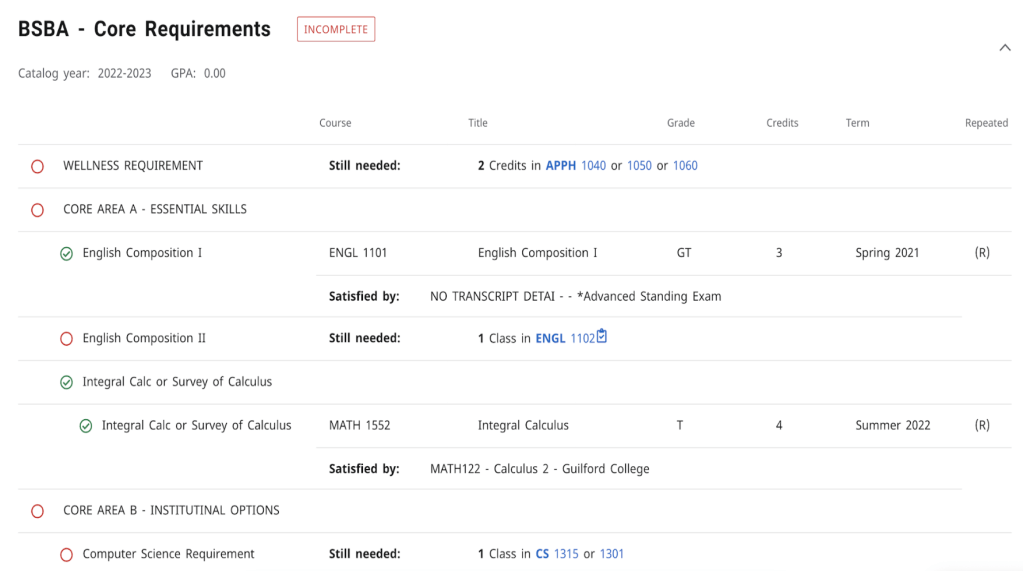
Depending on the semester, course offerings can vary. Make a list of classes that you need or want to take along with the instructors available for the courses. This list will make it easier for you to search up the professors and courses between the different websites. You can find information about classes you need to take for your major on Degreeworks (which can be found on OSCAR – Georgia Tech’s self service portal for student registration, along with other student information).
Step 2: Looking up Professor’s on Rate My Professors
Rate My Professors – Nationwide Student Review Website
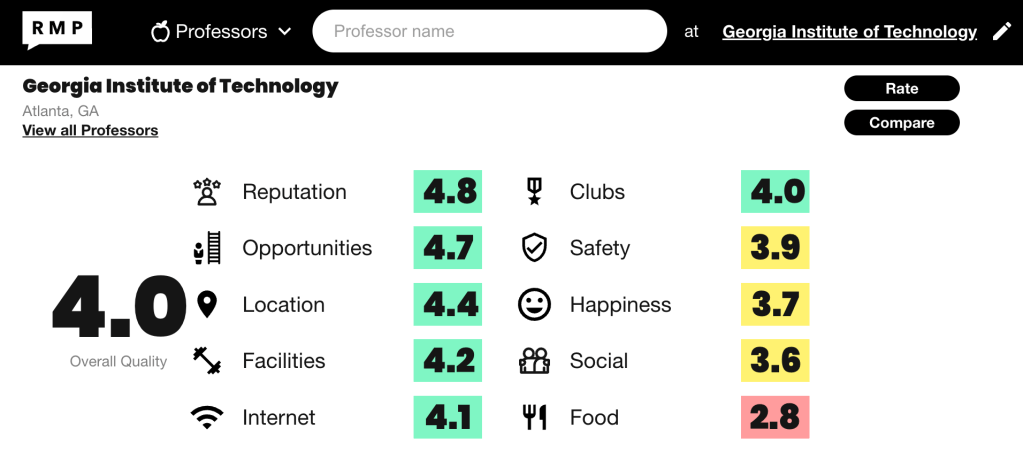
- Once you have accessed the website, type “Georgia Institute of Technology” into “Your school” and go to the Georgia Tech school page. There is the option to look up a professor by name first instead, however, that will likely bring reviews of other professors in different schools, making the search process more time-consuming.

2. Once you have reached the Georgia Tech landing page, type the professor’s name in the “Professor Name” box. Tip: It is easier to type the professor’s last name than the first name. Feel free to put the full name either way.
It’s alright if you can’t find the professor or they have no reviews. You can move onto Step 4. The other steps will help give you other useful information about the professor and/or the course itself!
Step 3: Reading through reviews to get an understanding of the professor
- The scoring system for Rate My Professors is out of 5. 5 is “Awesome” while 1 is “Awful.”
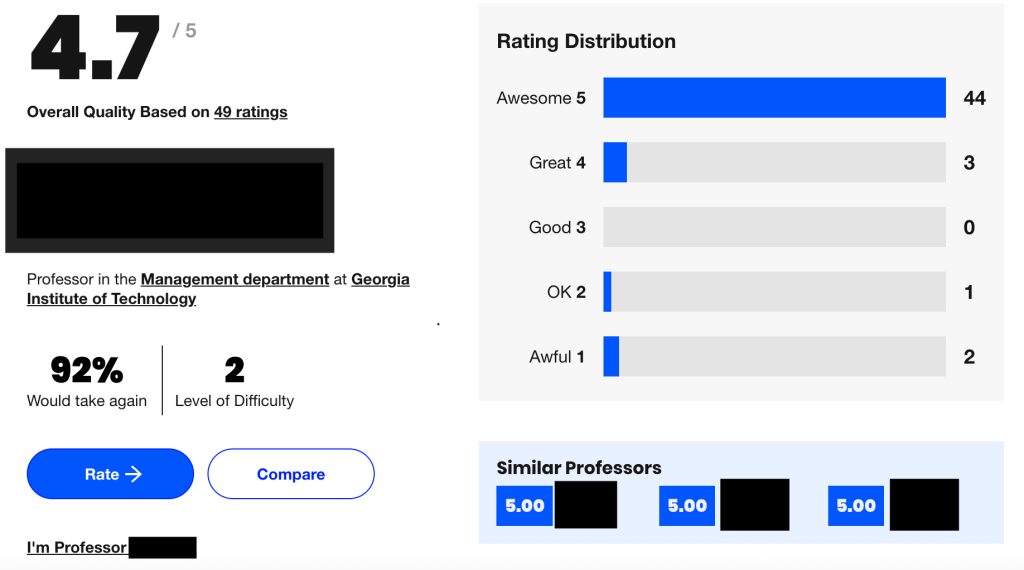
2. Under all professors, you can filter to only have reviews for specific courses. It may be helpful to look at reviews about the course you are wanting/needing to take. There is also a possibility that a professor will be tougher or easier depending on the course.
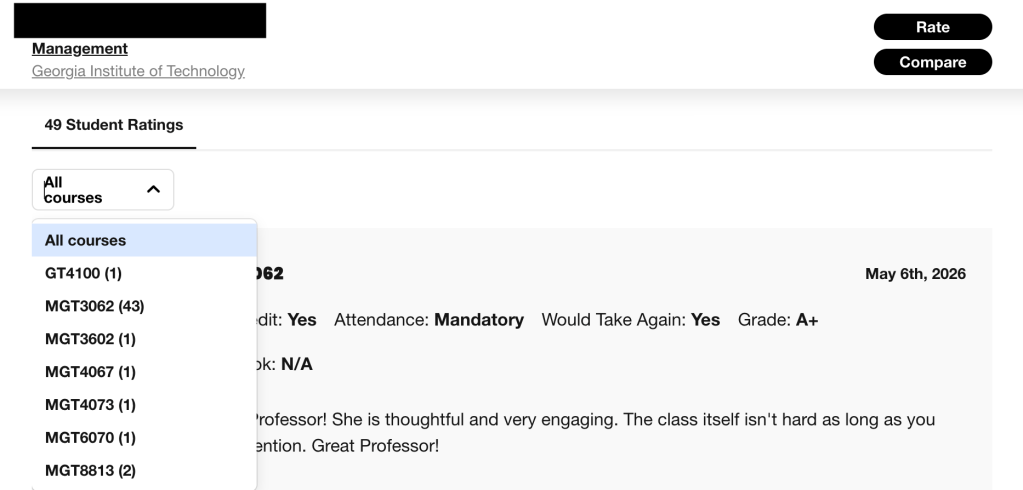
3. Make sure to take note of the quality and difficulty rating. A teacher may have a good quality score and have a high or low difficulty rating. Good to note that even if a teacher has a high rating, that doesn’t necessarily mean you will succeed in the class.
Using the image below as an example, you can see on the left, the student has left two ratings for the professor. The quality rating, which refers to the overall quality of the teacher, is 5, which means the student thinks very highly about the quality of the professor. Under that, the difficulty rating, which refers to how difficult the course is with the professor teaching it, is 3, which means the student thinks the class is moderate in difficulty.
Additionally, the student highlights specific information a future student should know about the class. This includes things like whether attendance is mandatory or if a textbook is required. After the review, which gives a brief overview of the student’s experience along with advice about the class, there are a few highlights about the professor like “clear grading criteria” and “accessible outside of class” that students should be aware of.

THINGS TO NOTE:
Rate My Professors as a source has mixed reviews. Reviews can range from being helpful tools to being baseless and a place for students to vent about their professors.
PRO: Rate My Professors allows students to find professors that align with them, which students taking professors they enjoy allow them to perform better academically and attend more classes (Uribe & Zeffer).
CON: Reviews tend to be skewed towards positive and negative ratings, with a bigger pull towards the negative rating (Katrompas & Metsis). Most people will rate if they feel strongly about a professor in a negative or positive way, leading ratings to be skewed.
As a rule of thumb, remember that ratings and reviews can have bias in them, so take them with a grain of salt.
Step 4: Navigating to Course Critique and Analyzing Data
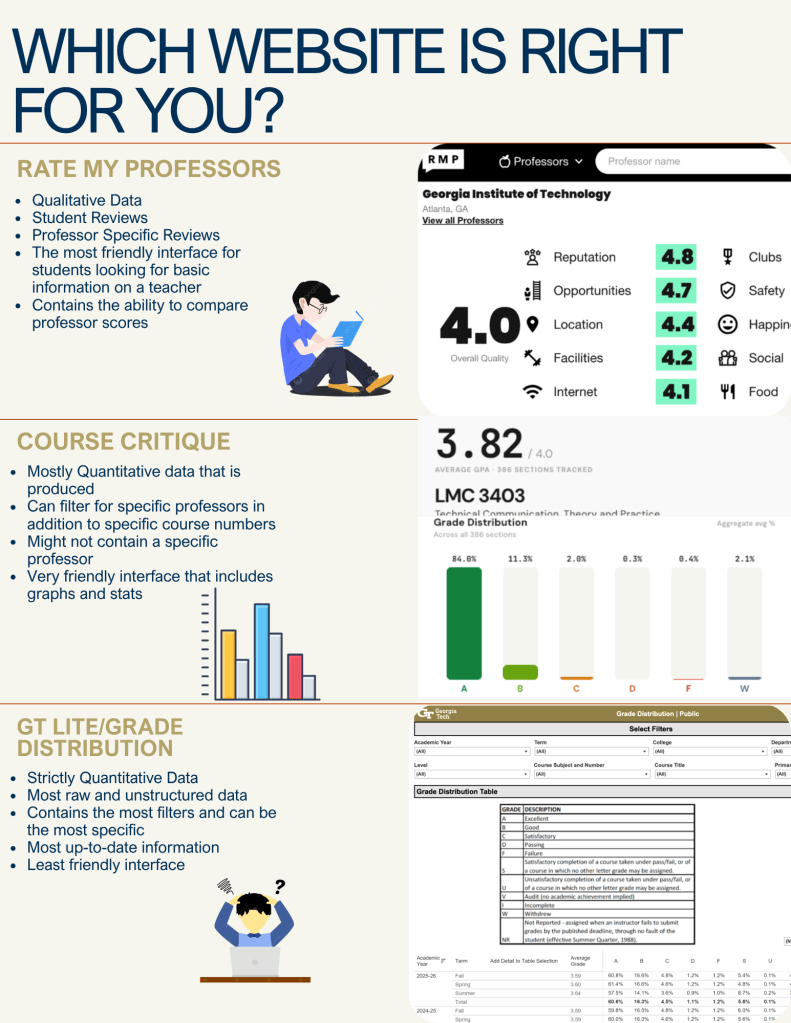
Compared to Rate my Professors, Course Critique offers an alternative, easy to use interface that focuses equally on the course number and specific professor. This website contains a user friendly experience along with years of data that is easy to filter, which makes it a fan favorite among Georgia Tech students.


- Navigate to Course Critique and type in the respective Course Number or Professor Name that you are trying to analyze. Note: Make sure to put the correct GT Department name like “LMC” or “MGT” because course numbers tend to repeat in different schools.
2. Once you have found your course, utilize the “GPA”, “Terms”, and “Professors” filters. The main goal is to find information that is relevant to you. Some like to look at GPA trends from previous semesters within the entire course, while others like to look at one specific professor. Determine the best filters for you, and then you are ready for analysis.
3. Finally you are ready to utilize the information presented to you. After playing and inspecting different filters, the next step is to determine if you need further analysis using GT LITE/Grade Distribution.
Step 5: Traversing and Evaluating the GT Lite/Grade Distribution Interfaces
Another resource that could be helpful in your research is GT LITE, also known as Grade Distribution. This interface contains data that is more unformatted compared to the previous two resources. Depending on you previous analysis, this website could be the most useful due to the unrefined nature of the data, but it may take the most effort to traverse.

- Navigate to the GT LITE / Grade Distribution Tool.

2. Similar to Course Critique, utilize the filter features seen at the top of the page. This interface contains more filters at your disposal. Toggle and analyze trends from the previous years to find specific information tailored to your needs.
Note: The data seen in GT LITE is unstructured compared to Rate my Professors and Course Critique; however, it does contain the most amount of data compared to all three. This is seen through its increased number of filters seen in the top of the website. Based on your preferences and needs, determine if you need to use this due to its unstructured feel.
Step 6: Ask Your Friends!
Sometimes our greatest resource are the people around you. This can be your friends who are a year ahead of you, family who have taken a specific course in the past, or random classmates who have been in your position previously. Utilize your peers by asking them questions related to a specific course as most times it is better to hear from personal experience rather than raw data.

Step 7: Finalizing your Decision on Each Course
Now, using all the information gathered an analyzed, you must analyze whether or not to take this course/professor. Pick something that is balanced according to your wants on rigor in addition to quality of the professor. Overall, this step-by-step demonstration is not a tutorial on how to register, rather a guide to secure a class that fits your wants and needs to help you succeed.
Conclusion
Each website offers a different perspective, and utilize them to determine your decision. Using the data gathered from Rate my Professors, Course Critique, and GT LITE you will have a better understanding of the workload along with quality of the class. Ultimately, the decision to take a class with a certain professor depends on your values; the resources that are listed intended to prepare you to succeed. It is common to see students find a “Goldilocks Zone” where they base their decision on a difficult but effective professor that helps them learn more than anything.
Resources
Finding and Registering for classes that fit your needs
Rate My Professors Website : Main interface for Rate my Professor Reviews
Rate my Professors Guidelines : Guideline website consisting of the goals and objectives of the website
Course Critique Website : Main interface for Course Critique
GT LITE / Grade Distribution : Main Interface for GT LITE
Sources Mentioned in Step 3:
Bias Relating to Rate my Professors : Read about potential biases within Rate my Professors
Is Rate my Professors a Helpful Tool? : Learn more about the cons of Rate my Professors
 GT-How
Leave a comment