
Authors: Parth Thakur, Tom Jeong
Introduction: Navigating the Maze of Course Registration
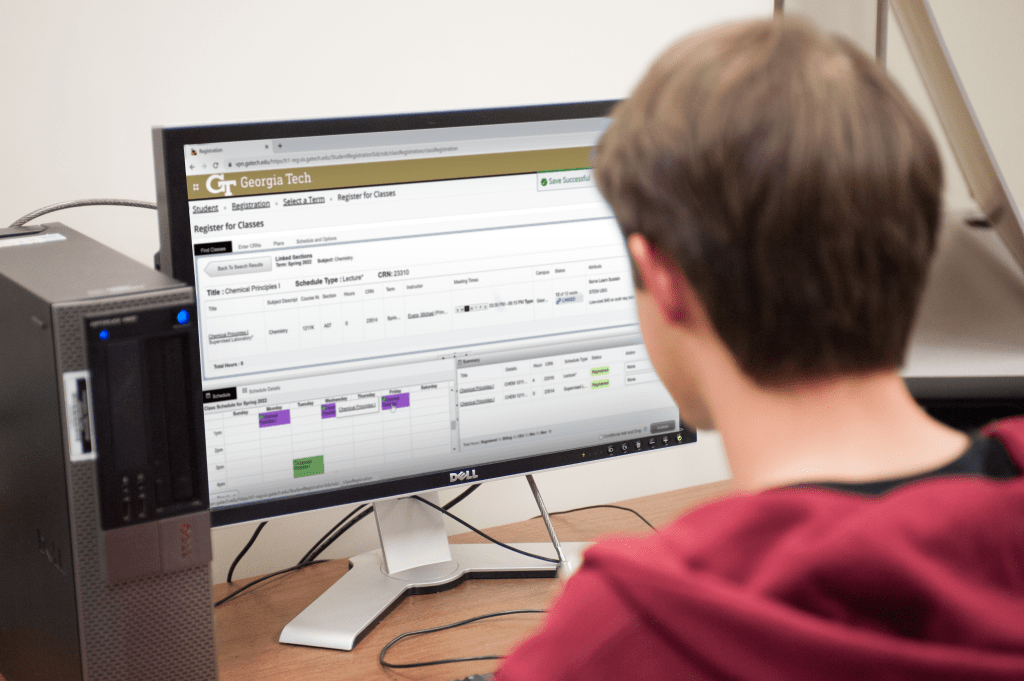
Navigating Georgia Tech’s OSCAR registration system is a rite of passage that often leaves students feeling overwhelmed. The maze of course options, seat limitations, waitlists, and varying professor reputations can transform registration into a high-stress experience, particularly for freshmen and sophomores. We want you to know that we have been there and are here to alleviate some of that stress by passing on our words of wisdom. With strategic planning and the right tools, students can optimize their schedules, balance workloads, and secure their desired classes. This guide aims to simplify the registration process by providing a data-driven workflow, leveraging tools like GT Grade Distribution, Coursicle, and Course Critique. By adopting this structured approach, students can enhance their academic performance while minimizing stress. Register smarter, not harder.
Table of Contents:
- Identify Required & Elective Courses
- Research Grade Distributions & Best Professors
- Build a Draft Schedule
- Check for Seat Availability & Alternative Sections
- Set Up Coursicle Waitlist Notifications
- Be Ready for Registration Day
- Optimize Your Schedule Post-Registration
- Join Course-Specific GT Groups & Forums
- Plan Future Semesters in Advance
- Additional Resources
1. Identify Required & Elective Courses
The first step is to determine which courses are mandatory and which electives best suit your academic goals.
- Use DegreeWorks: Start by reviewing DegreeWorks to see your graduation requirements, including core classes and electives for your major. This tool provides a clear roadmap of what is needed for each semester.
- Check Pre-requisites & Co-requisites: Many courses at Georgia Tech have prerequisites or co-requisites that need to be completed first. Cross-check each course requirement to avoid registration errors.
Pro Tip: Visit major-specific advising sites and talk to academic advisors for tailored guidance.
2. Research Grade Distributions & Best Professors
Not all classes are created equal, and neither are professors. Knowing who teaches the course can significantly impact your learning experience and GPA.
- GT Grade Distribution Dashboard: Use this tool to analyze historical grade data for each course. This helps identify classes with higher success rates and professors known for fair grading.
- Course Critique & RateMyProfessors: These platforms provide qualitative insights into professor teaching styles, workload expectations, and grading difficulty. Aim to find a balance between challenging but rewarding courses and GPA-boosting classes.
Pro Tip: Favor professors with a teaching style that suits your learning preferences and who offer constructive feedback.

3. Determine Your Workload Balance
An optimal schedule balances challenging major courses, manageable electives, and easier GPA-boosting classes.
- Strategic Course Pairing: Mix core major requirements with general electives to avoid burnout. Avoid taking multiple heavy courses (e.g., advanced mathematics and lab-intensive sciences) in the same semester.
- Consider Credit Hours & Outside-Class Workload: Some classes may have fewer credit hours but require significant project work outside class. Balance high-credit courses with lighter workload classes for a manageable schedule.
Pro Tip: Aim for a credit load that challenges you but still allows time for extracurriculars, internships, and personal time.
4. Build a Draft Schedule
Creating a draft schedule helps visualize your week and identify potential conflicts.
- Use Coursicle or GTScheduler for Visualization: Coursicle and GTScheduler allows you to build and customize your weekly schedule visually. Input potential classes and adjust sections until you find the most balanced and efficient timetable. Once you have a schedule you like go ahead and copy that over to the official plans in the OSCAR Registration System.
- Avoid Back-to-Back Difficult Courses: Arrange your classes to include study breaks and avoid consecutive high-intensity lectures. Balancing class times and personal productivity patterns enhances learning retention.
Pro Tip: Schedule courses requiring significant homework or lab reports earlier in the week, allowing more time to complete assignments.

5. Check for Seat Availability & Alternative Sections
Popular classes and top-rated professors’ sections fill up fast, so it’s essential to be flexible.
- Scout for Alternatives: Identify at least two alternative sections or professors for each course. This increases your chances of securing a spot if your first choice fills up.
- Analyze Historical Trends: Review previous semesters’ seat availability data on OSCAR to anticipate which classes are likely to be full early.
Pro Tip: Prioritize essential or hard-to-get courses first and fill the rest of your schedule with flexible electives.
6. Set Up Coursicle Waitlist Notifications
Coursicle’s notification system is a game-changer for waitlisted courses.
- Real-Time Alerts: Set up notifications to receive alerts when a seat opens in your desired class. Act quickly once notified, as seats are often filled within minutes.
- Monitor Multiple Sections: Enable alerts for multiple sections of the same course to maximize your chances of getting a spot.
Pro Tip: Have your CRNs (Course Registration Numbers) ready for quick input once you receive an alert.

7. Be Ready for Registration Day
Preparation is crucial for successfully registering for your preferred courses.
- Log in Early: Be logged into OSCAR at least 10 minutes before your registration time to navigate any potential server delays.
- Plan/CRN Copy-Paste Method: You have two options here. First option is to load in a plan you built earlier via the registration platform. Second option is to prepare a text document with all CRNs ready to copy and paste directly into the registration fields, reducing errors and saving time.
Pro Tip: Refresh the OSCAR page a minute before your registration time to ensure you’re synced with the system.


8. Optimize Your Schedule Post-Registration
Securing a perfect schedule on the first attempt is rare. Post-registration adjustments are often necessary.
- Drop/Add Period: Utilize the drop/add period to refine your schedule. Keep checking for seat availability in preferred sections.
- Monitor Waitlists: Continue monitoring waitlists for openings, especially during the first week when students frequently drop courses.
Pro Tip: If you’re waitlisted, attend the class during the first week to show your interest. Professors sometimes grant overrides for committed students.
9. Join Course-Specific GT Groups & Forums
Connecting with peers provides invaluable insights and resources for each course.
- Join Slack, Discord, or Piazza Groups: Many Georgia Tech courses have dedicated groups where students share tips, resources, and experiences.
- Engage in Community Discussions: Participate actively to learn about professor-specific grading patterns, study resources, and exam tips.
Pro Tip: Building connections with peers early can enhance your academic experience through group studies and shared resources.
10. Plan Future Semesters in Advance
An optimized registration strategy isn’t just for the upcoming semester—it’s about planning long-term.
- Maintain a Long-Term Plan: Use DegreeWorks to map out your entire academic journey. This ensures you meet all prerequisites and graduation requirements without last-minute surprises.
- Consider Internships and Study Abroad Programs: Plan around these opportunities by taking prerequisite-heavy semesters before or after these experiences.
Pro Tip: Regularly update your plan to accommodate changes in course availability, personal interests, or career goals.


Leave a Reply